Orchestra Parameter Receiver
Description
The Orchestra Parameter Receiver is used to receive values sent over a point to point connection between two Orchestra nodes. The values must be sent by the Orchestra Parameter Sender. The inbound channel implements an "idempotent" behavior. This means, the receiver can determine if a request is executed repeatedly. When it detects a repeated invocation the request is skipped and not executed. The sender receives an already-executed result. The sender defines if idempotent communication shall be used or not. When the channel is invoked by a process activity, just set the parameter IDEMPOTENT to true or false.
Creation
To create an Orchestra Parameter Receiver follow the steps described in the general description of Adapters
Configuration
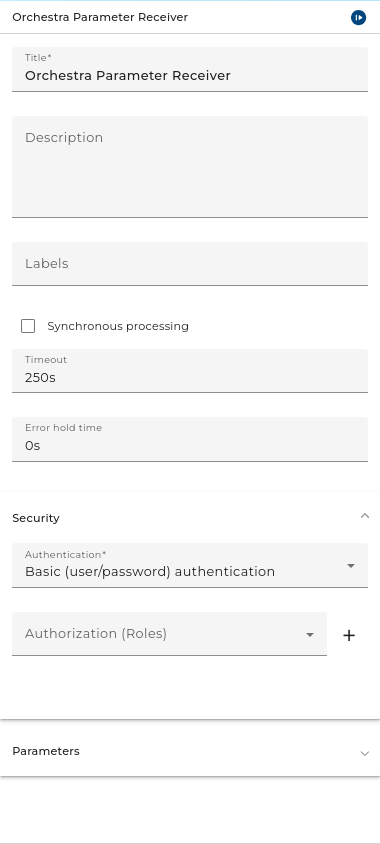
The dialog to configure the Orchestra Parameter Receiver looks like:
 |
|---|
| Base view of the channel Orchestra Parameter Receiver |
Synchronous processing
Defines the mode of operation. When set to request, Orchestra submits the request, but doesn't wait for completion. When set to synchronous, the execution blocks until a result is received.
Timeout
After this time an HTTP 205 (Reset Content) is returned to the sender. The Orchestra Parameter Sender reacts with an error ("A timeout occurred during the execution") to this code.
Error hold time
If the channel encounters an error you can connect it in the process model with an error start event to create a process instance handling that error. If the user doesn't set a value or set value 0s then every time an error occurs an according process instance will be created. If an error occurs regularly because of a short polling period the user may want to avoid creating a large amount of process instances. In this case you can set a period of time. If after an error further errors occur within that period no further error process will be created.
Parameters
Define one or more parameters that must be sent from the remote Orchestra.
- the mapping of the parameters between outbound and inbound channel is done by name (order of the parameters is not important)
- the parameters must be set manually at outbound and inbound side (there is no export/import)
- the usage setting (INPUT, OUTPUT) is only used in request/response mode.
Authentication and Authorization
- Basic authentication: user and password
- Digest authentication: user and password
- Certificate authentication: authentication of the client via certificate (X509)
- OAuth2.0 authentication: authentication using JWT (Json Web Token) There are two modes for OAuth authentication at Orchestra.
There are two modes for OAuth authentication at Orchestra.
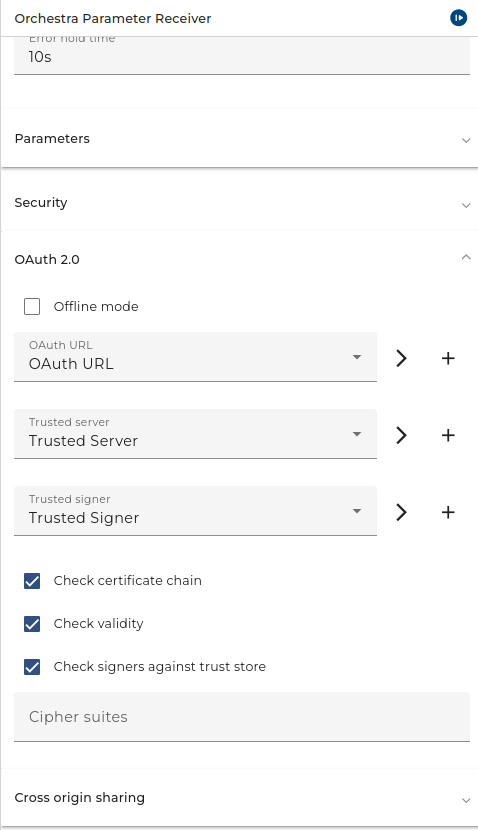
1. Online mode: A URL of a certificate endpoint that can be specified to retrieve a certificate in order to verify the incoming Json Web Token (JWT).
 |
|---|
| OAuth Online Mode of the channel Orchestra Parameter Receiver |
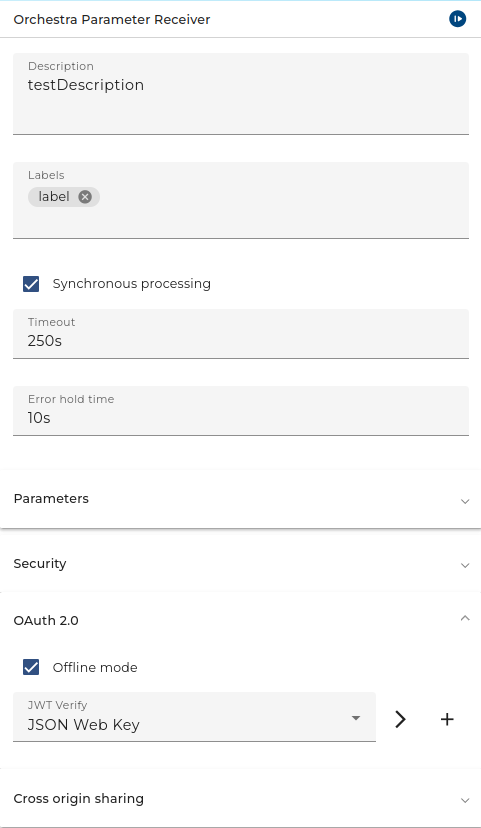
2. Offline mode: A certificate that can be specified directly, which can be used to verify incoming JWT.
 |
|---|
| OAuth Offline Mode of the channel Orchestra Parameter Receiver |
JWT verified with:
1. Online mode:
- OAuth-URL: URL to the certificate endpoint of an identity provider (authentication server). This is needed to obtain the public key directly from the authentication server and thus validate the JWT.
- Certificate Check: SSL-Settings or Identity-Provider access. This can be used if the Identity-Provider has an SSL-Connection and the Certificate is a self-signed X509-Certificate.
2. Offline mode:
- JWT verify: Mode to select the credential that has a certificate or JSON web key authentication type.
Authorization means that the inbound channel checks if the user authenticating itself has a certain role assigned. For more detailed information about this configuration refer to configuring authentication.
Testing
In the Scenario with the Inbound channel start the test engine, open the tab Adapters, open the Properties of the Parameter Receiver and from there copy the URL. With this URL you can then configure the Parameter Sender channel.
Throttling
This channel is supported by throttling limit feature that described in chapter Throttling.
See also
To send Parameters use the Parameter Sender channel