Kafka Listener
Description
A Kafka listener channel subscribes to topics of a Kafka cluster. It consumes all new events of those topics and turns them into Orchestra messages.
Creation
To create a Kafka listener channel follow the steps described in the general description of [Start elements].
Configuration
The dialog to configure a Kafka listener looks like:
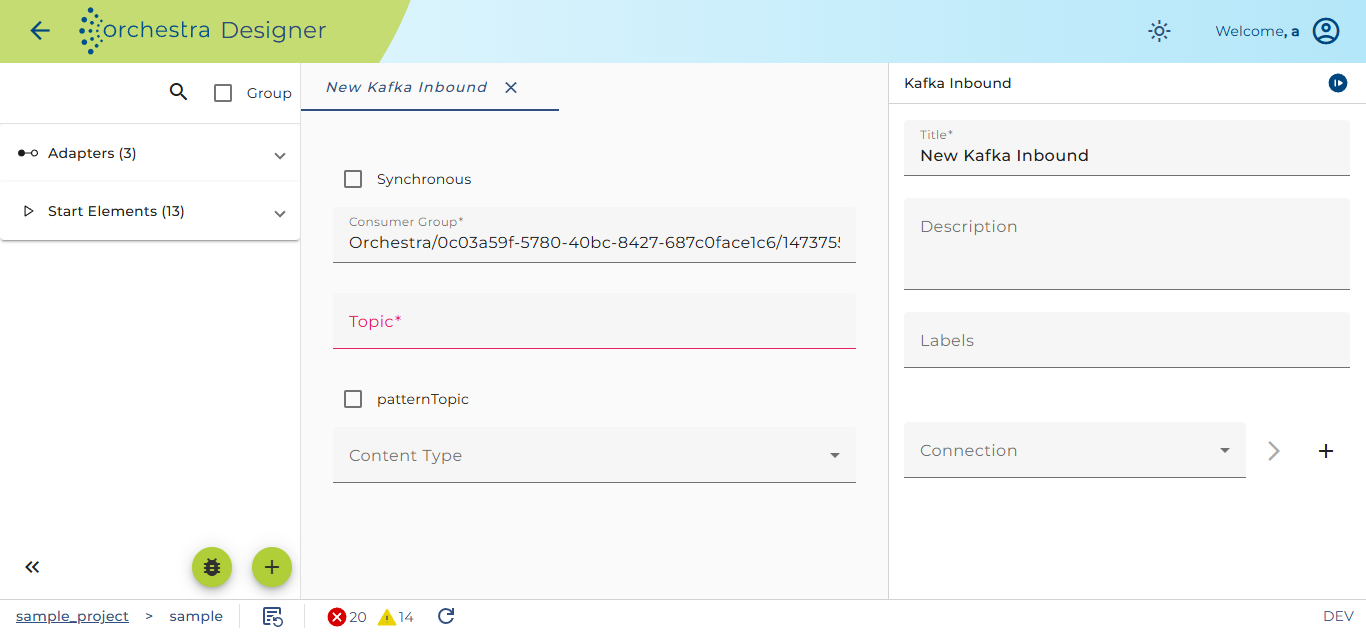
Detail settings for the Kafka listener
-
Connection
Select an environment entry of type Kafka connection. -
Consumer group Declare the consumer group this channel belongs to. Each event in a Kafka topic is read only once by any client in the consumer group. Each partition is read by exactly one consumer within each subscribing consumer group.
-
Topic A list of topic names whose events clients subscribe to. Separate each name with a comma.
-
Topic is pattern If the check box Topic is pattern is selected, the value of the Topic field must contain regular expressions to match the topics.
-
Synchronous If you select the check box Synchronous, the consumption of an event from a topic will be committed to the server only after it has been successfully read and published to the Orchestra runtime. If the check box is not selected, the event will be committed to the server regardless of if it has been successfully read or published to the Orchestra runtime.
-
Content-Type The Content-Type provider decides if a binary message, a JSON message or an XML message is created. In the select box Content-Type, you can select one of three methods to find out the Content-Type of a message:
- The simplest method is to select a fixed Content-Type. This can only be used if all events from a certain topic are of the same type.
- Another method is to lookup the Content-Type from a Header field. By default, the Kafka Producer channel always sets the Content-Type as a Header.
- With the last method, users can define a Java function to deduce the Content-Type from the event key or the headers.
If you selected the user defined method you can edit a simple java function to find out the Content-Type. This could look like:
    Object value = headers.get("eventtype");
    if ("struct".equals(value))
        return "application/json";
    return "application/octet-stream";
The output parameters of the channel are:
| Parameter name | Description |
|---|---|
| MSG | The event content as message. Depending on the result of the Content-Type recognition a binary message, a JSON message or an XML message is returned. |
| KEY | The key assigned to the event, can be null |
| HEADERS | A JSON message containing all the headers assigned to the event |
| TIMESTAMP | The timestamp of the event |
| TOPIC | The topic from which this event was consumed |
| PARTITION | the partition from which this event was consumed |
| OFFSET | the offset within the partition where the event was stored |