Configure Authentication
Authentication
You can choose between:
-
Basic (user/password) authentication
The client must deliver a username and password. For the username, an appropriate user credential of type client login is searched and its password is compared with the delivered password.
Since the password is sent in Base64 encoded form and can be easily retrieved, you should only use it with a secure HTTPS connection. -
Digest (user/password) authentication
Digest Authentication communicates credentials in an encrypted form by applying a hash function to the username, password, a server-supplied nonce value, the HTTP method, and the requested URI.
With this type of authentication, the password is not transferred over the wire, so HTTPS is not strictly required (though still recommended). -
Certificate authentication
Authentication using an X509 certificate.
(mode-certificate-auth)
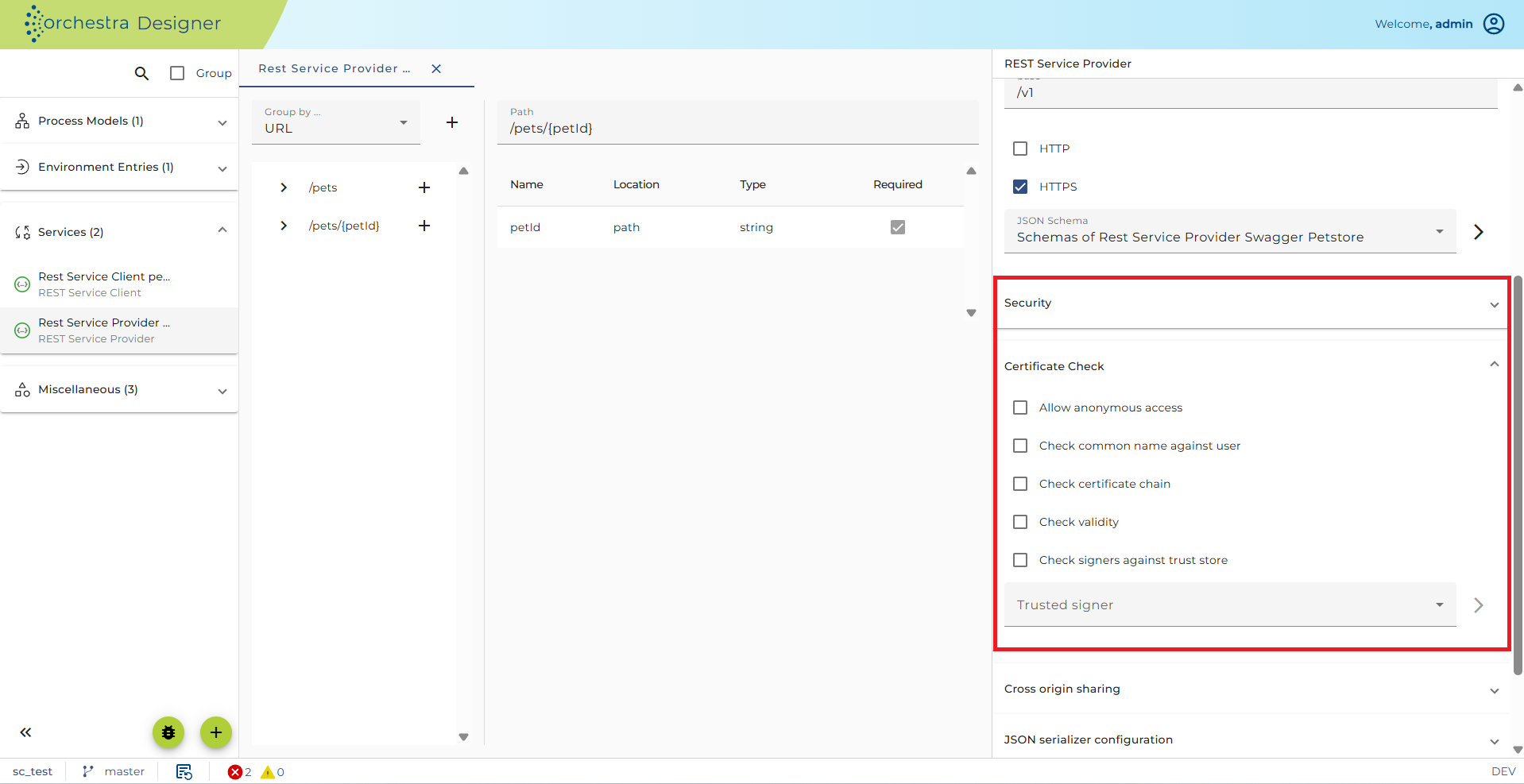
- OAuth2.0 authentication
Authentication using JWT (JSON Web Token).
There are two modes for OAuth authentication in Orchestra:
-
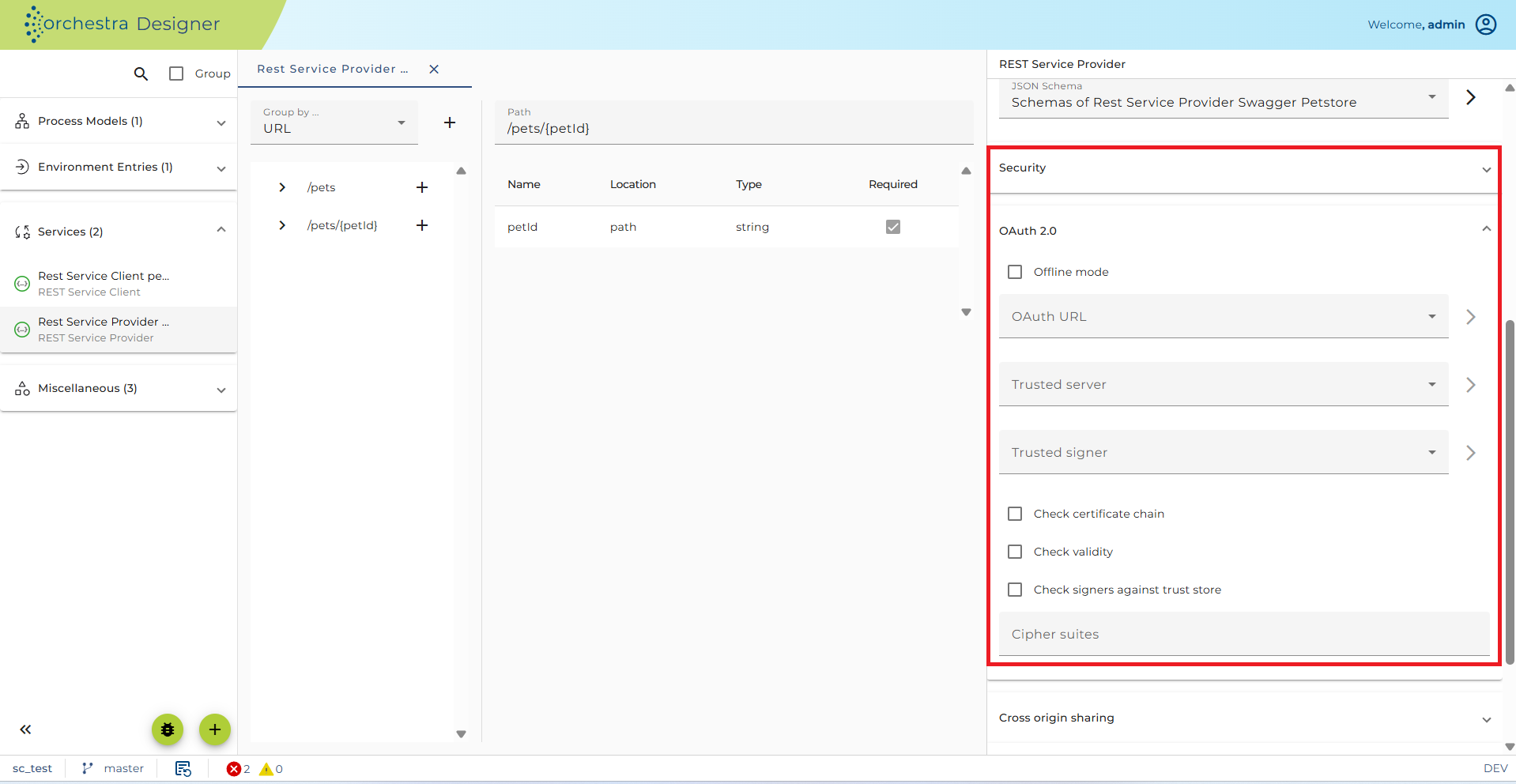
Online Mode: A URL of a certificate endpoint can be specified to retrieve a certificate in order to verify the incoming JWT.
-
Offline mode: A certificate that can be specified directly, which can be used to verify incoming JWT.
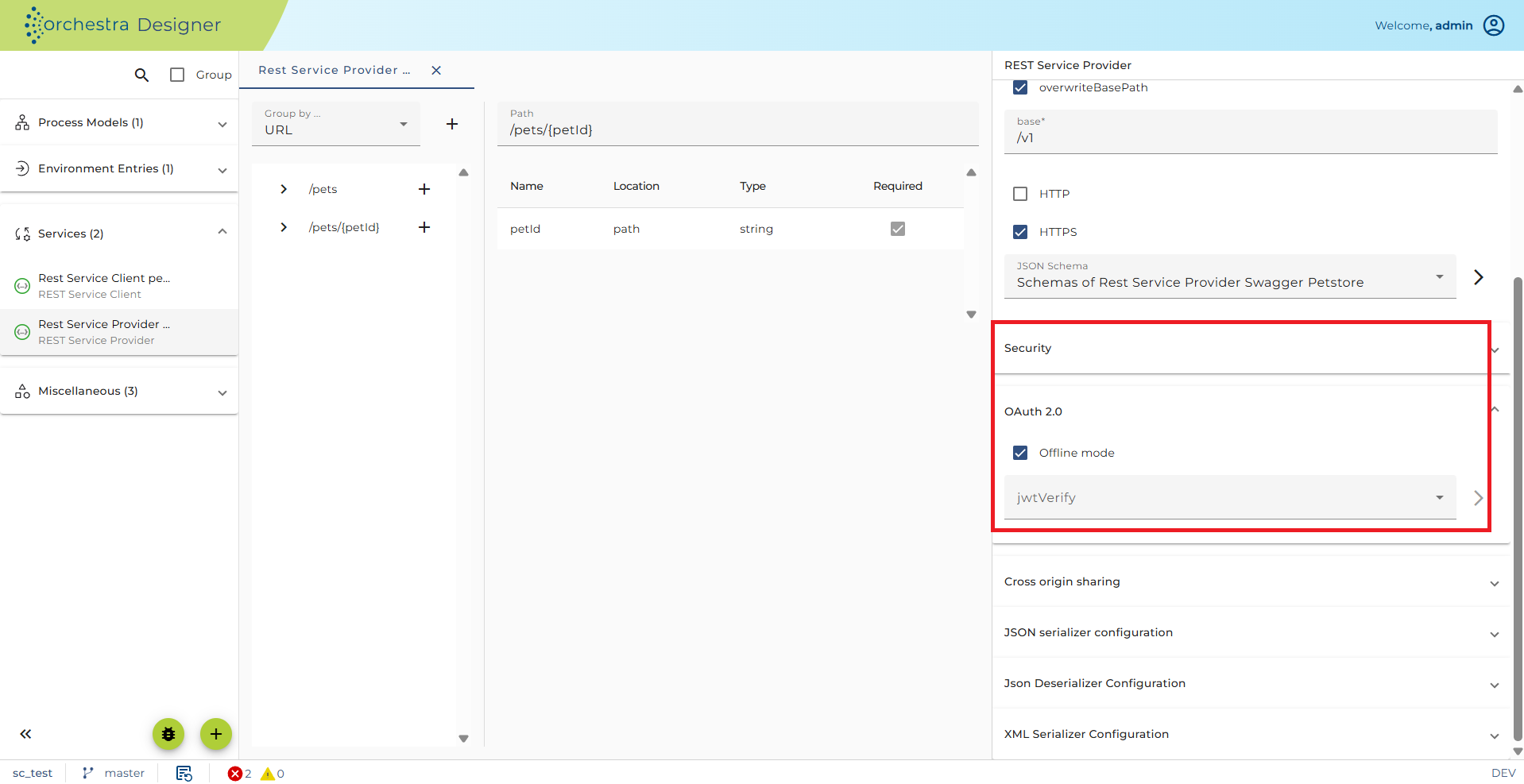
JWT verified with:
- Online mode:
-
OAuth-URL: url to the certificate endpoint of an identity provider (authentication server). This is needed to obtain the public key directly from the authentication server and thus validate the JWT.
-
Certificate Check: SSL-Settings or Identity-Provider access. This can be used if the Identity-Provider has an SSL-Connection and the Certificate is a self-signed X509-Certificate.
- Offline mode:
- JWT verify: Mode to select the credential that has a certificate or JSON web key authentication type.
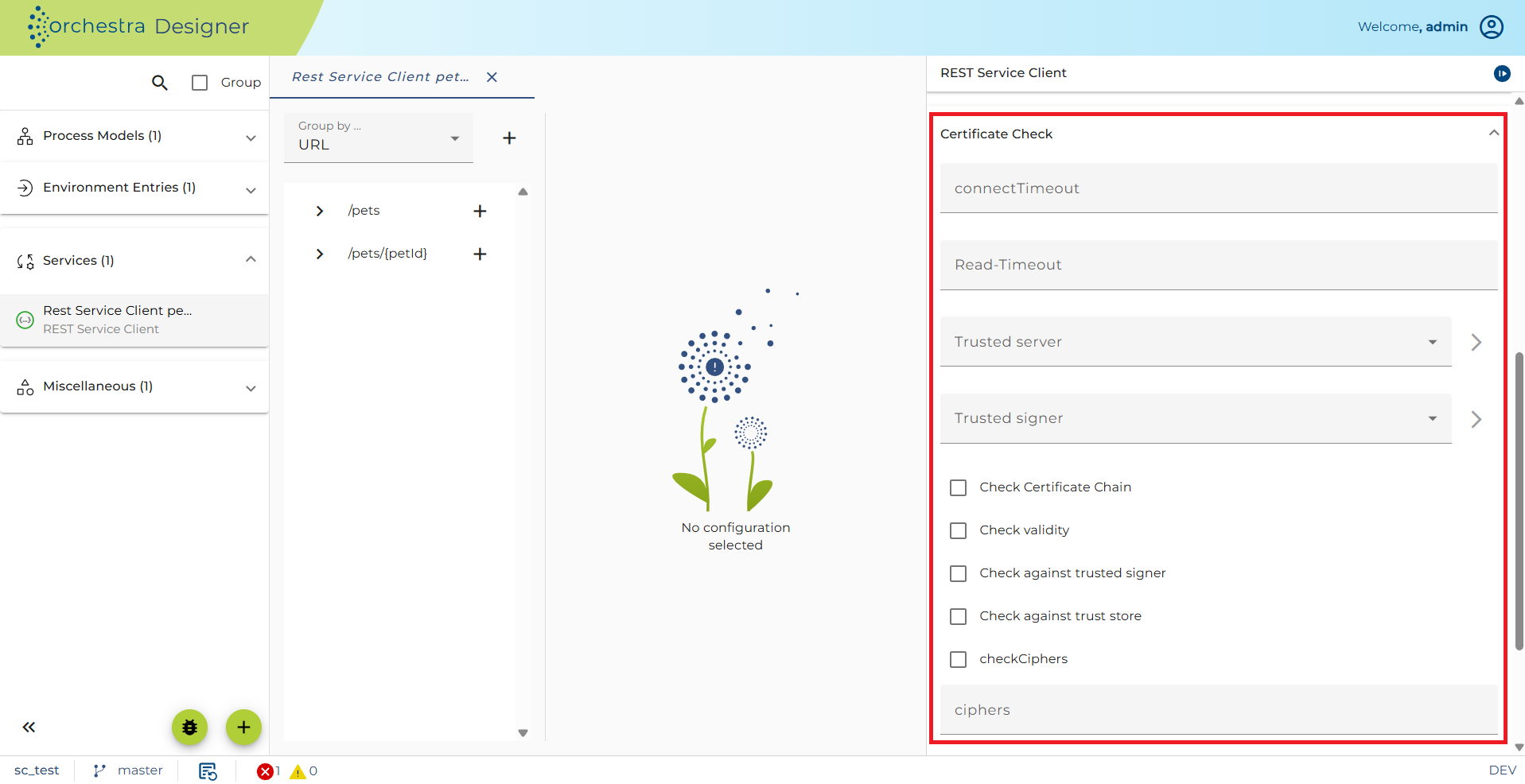
The Certificate Check Panel allows configuration of client-side HTTPS connection details:
-
Trusted server (optional, type = Trusted server):
Checks the server's public key certificate presented during a client request. -
Trusted signer (optional, type = Trusted server):
Verifies if the server's certificate was signed by the provided certificate. -
Check certificate chain (optional):
Validates whether each certificate in the chain is signed by the next certificate in the chain. -
Check validity (optional):
Checks whether the certificate has expired. -
Check signers against trust store:
Verifies that one certificate in the chain (typically the root) is in the trust store. -
Cipher Suites (optional):
Enforce specific TLS Cipher Suites. Enter as comma-separated values, e.g.:
"TLS_ECDH_RSA_WITH_AES_256_CBC_SHA,TLS_ECDHE_RSA_WITH_AES_256_CBC_SHA,TLS_DHE_RSA_WITH_AES_256_CBC_SHA"
Authorization Using Roles
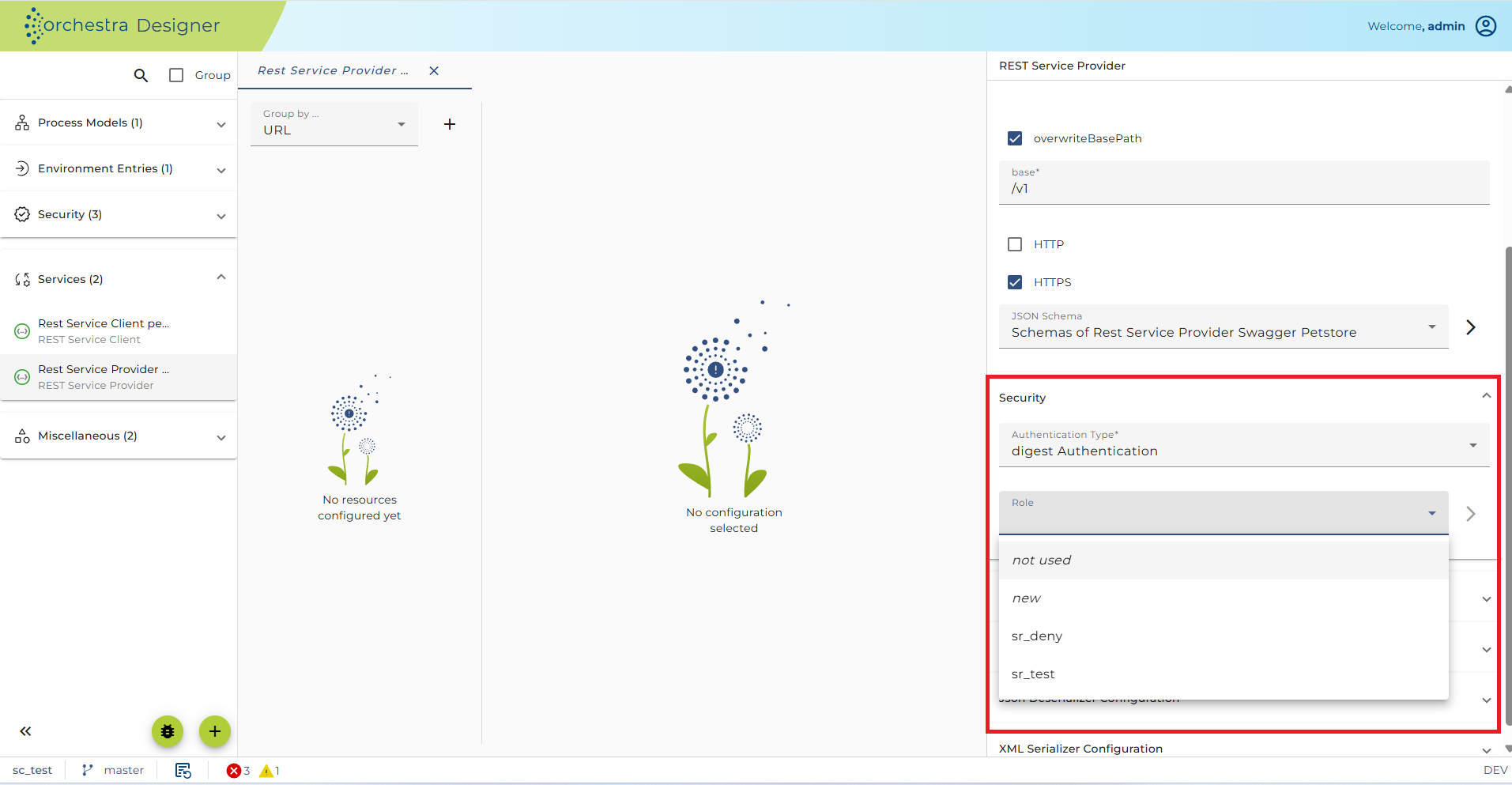
User authorization is based on roles. Each user credential must have a role listed in the allowed roles under the Authorization field. If the user does not have an allowed role, Orchestra will respond with HTTP 403 (Forbidden).