XPath Editor
Description
With XPath expressions you are able so select a specific element out of a message type. All message types are based on a xml file. XPath enables a navigation through this xml file and filter certain records. For an easier generation of XPath expressions, Orchestra provides a XPath Editor. This editor enables an easy visual selection of the intended node in xml file.
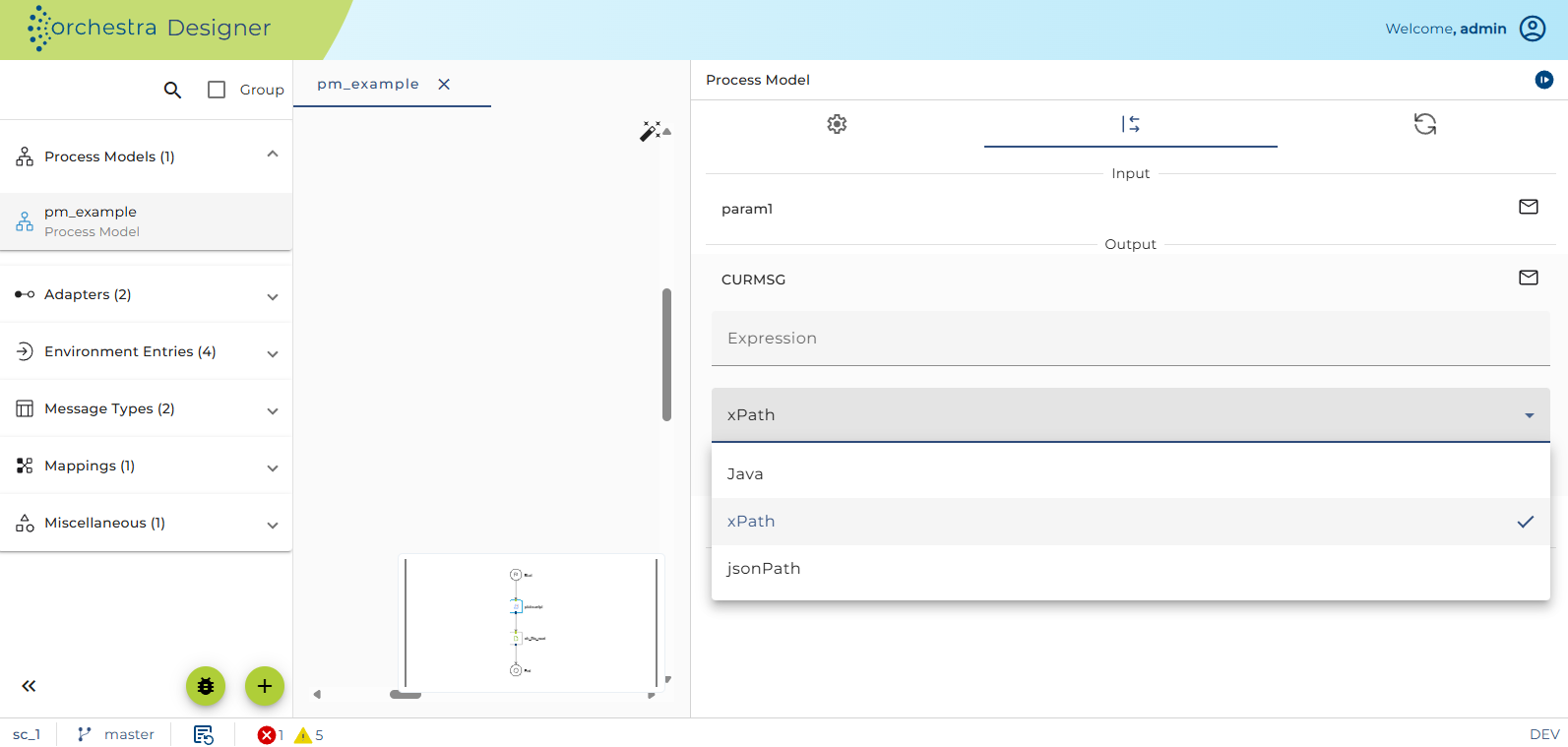
For correct compilation of the XPath statement, you first have to choose "XPath" as language for the assignment:
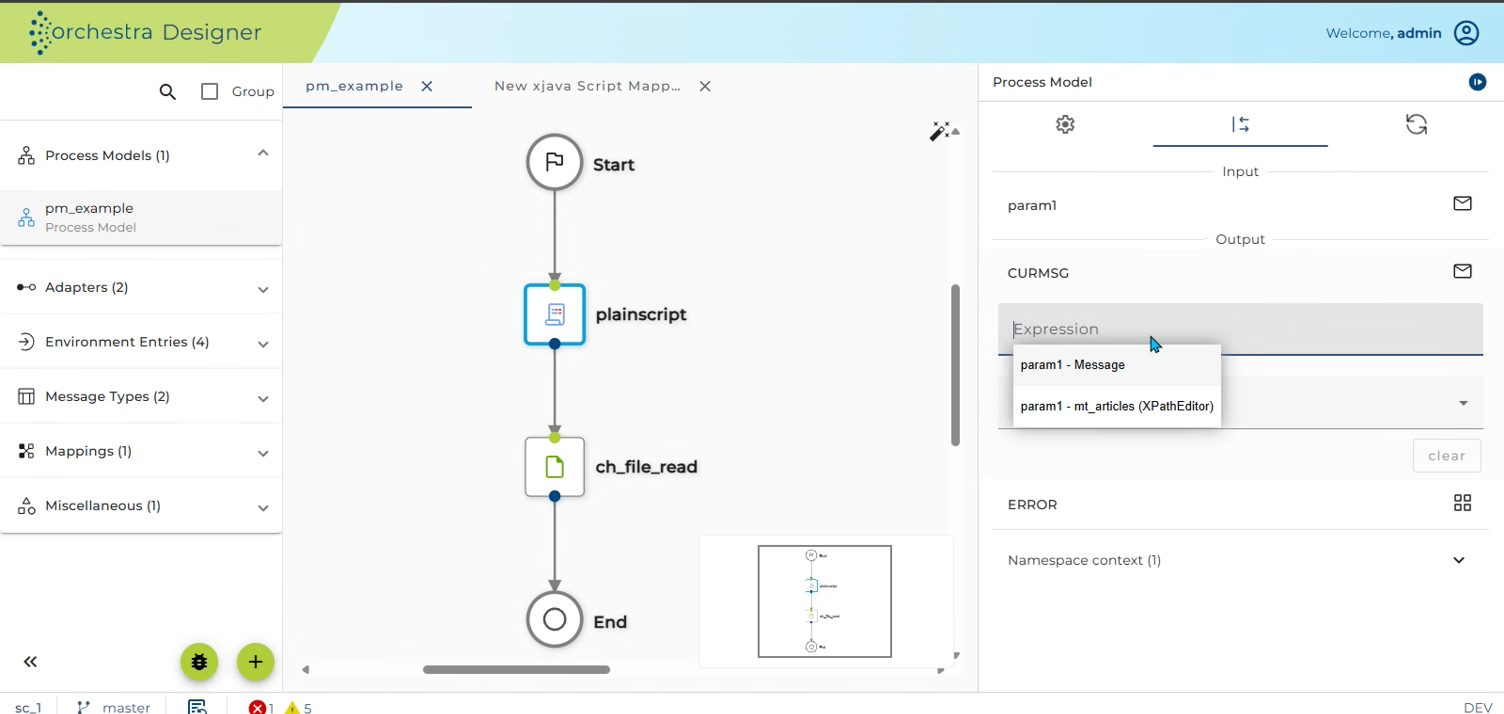
To open the XPath Editor, triggers code completion with Ctrl + Space in the expression field, then select a message record labeled with XPath Editor in brackets.
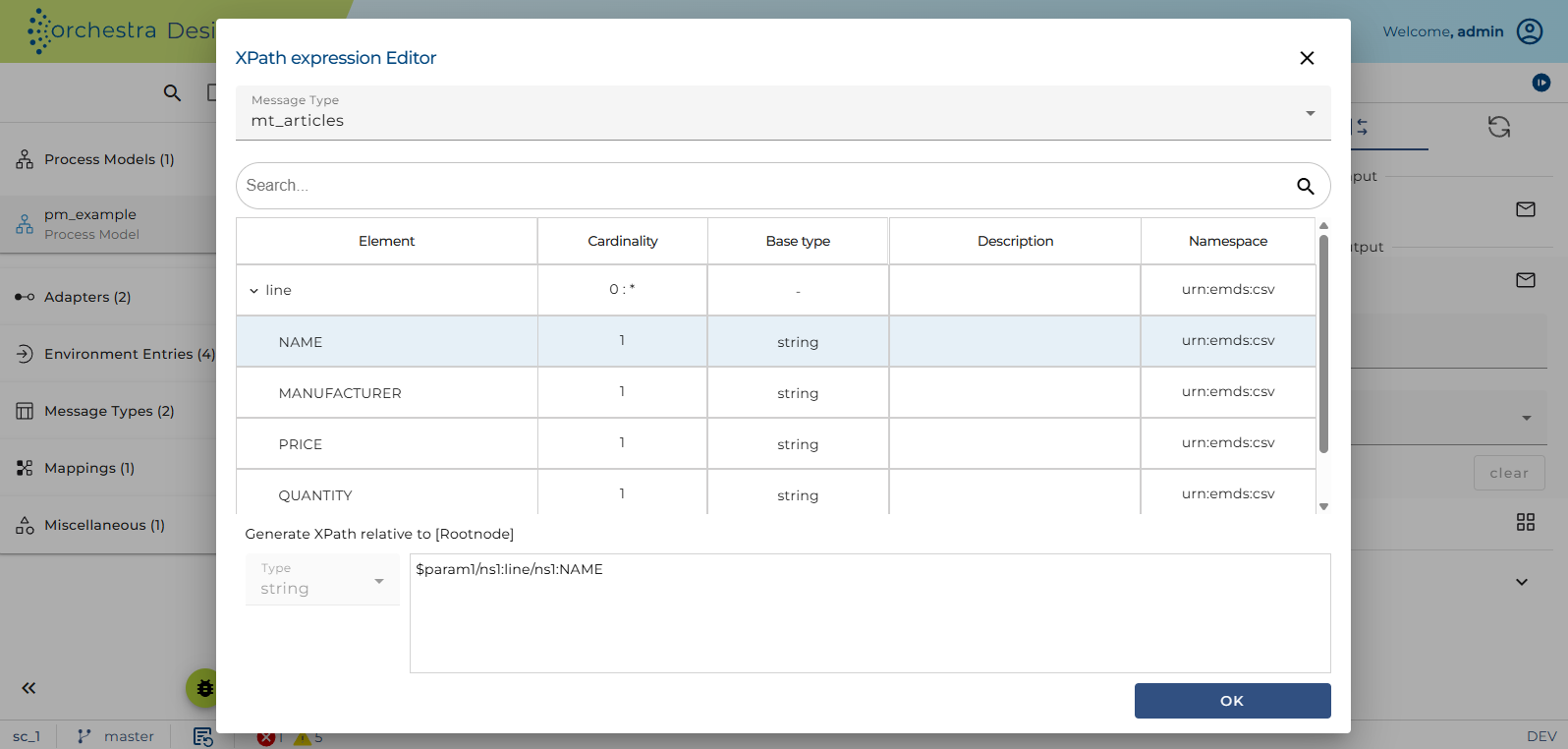
This window will appear:
-
First you have to select the message type from which the value should come. After this selection, the structure of chosen message type will be visible in the window.
-
Now navigate through the structure to find the intended node. You can search for nodes or change the sorting.
-
In the bottom left corner the actual data type is visible. If you want to change the data type first select the element and then change the type. Orchestra will generate the cast statement automatically.
-
In the bottom right text field you can see the XPath statement, which will be created with your actual selection.
-
Click OK to close the dialog and Orchestra will insert the generated statement.