Influx DB Writer
Description
This adapter is used to write data to an Influx database.
Configuration
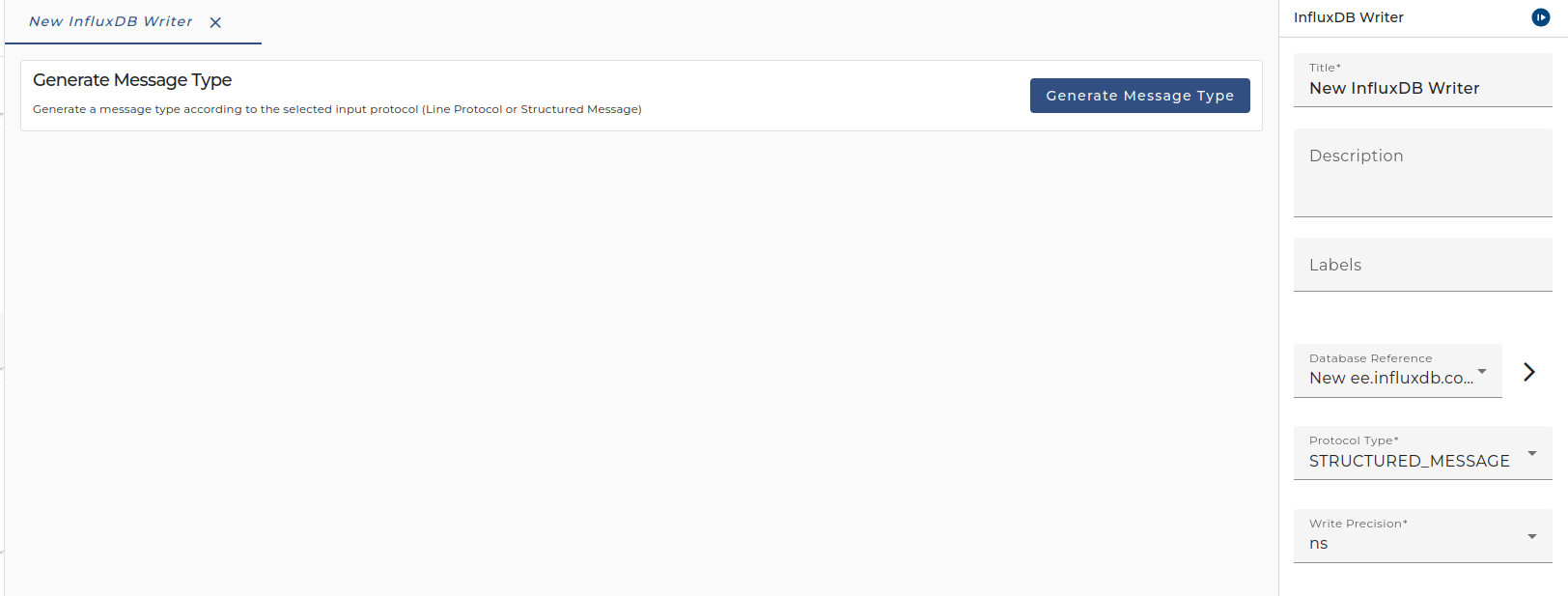 |
|---|
| Configuration of the Influx DB Writer adapter |
- Database The InfluxDB client connection.
- Write Precision The precision of the timestamp.
- Write Protocol Select the type of the incoming message. There are two supported message types
| Name | Description | Example |
|---|---|---|
| Line Protocol | A simple message with a root element and several child elements. The content of each child element must be a line protocol string (refer to the Influx documentation for more information on line protocol). Note that: ✅ If you don't specify a time, orchestra sets the time to the moment the data was parsed. ✅ The names of the root and child elements are arbitrary, only the structure of the message matters | xml<mt_lp> <line_protocol>solar_panel,location=rooftop current=5.2,power=250 1701955700470404100</line_protocol> <line_protocol>solar_panel,location=garden current=3.8,power=180</line_protocol> <line_protocol>solar_panel,location=backyard current=4.6,power=210</line_protocol> <line_protocol>solar_panel,location=terrace current=6.3,power=280 1701955700470404100</line_protocol></mt_lp> |
| Structured Message | A message containing multiple records. Each record must contain: ✅ _measurement ✅ _field or _fields ◦ If you choose _field also have to define _type (the type of the data) and _value ◦ _fields must contain one or more field-tags, each containing name, type, and value It can also contain: ✅ _time: The timestamp of the data. If it is not specified, orchestra sets the time to the moment the data was parsed. ✅ Any number of additional tags: These tags are interpreted as tag keys, and their content is the tag value (e.g., location). | xml<mt_sm> <record> <_field>current</_field> <_measurement>solar_panel</_measurement> <_value>12.0</_value> <location>test</location> <_time>1701955700470404100</_time> <_type>float</_type> </record> <record> <_measurement>solar_panel</_measurement> <location>test</location> <_fields> <field> <name>power</name> <type>float</type> <value>13.0</value> </field> <field> <name>voltage</name> <type>float</type> <value>1.2</value> </field> </_fields> </record></mt_sm> |
Creation
To create an InfluxDB Writer adapter follow the steps described in the general description of Adapters