Multi File Reader
Description
A multi file reader is used to create a message out from multiple files. The file name is given to the channel as an input parameter.
Creation
To create a File Reader follow the steps described in the general description of Channels
Configuration
The dialog to configure the File Reader looks like:
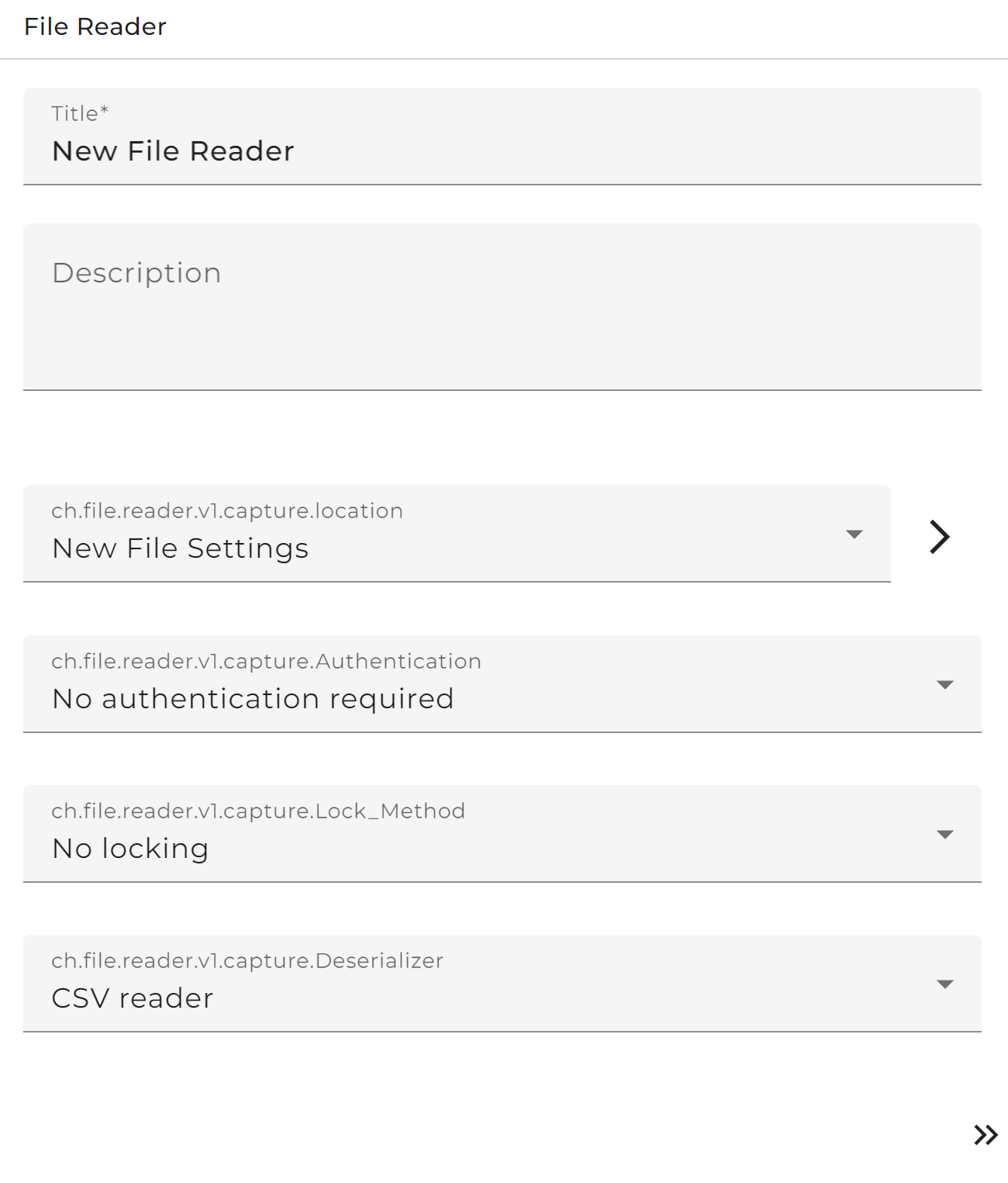 |
|---|
| Base view of the channel file reader |
Step by Step
Authentication: (Optional) Choose a user for server authentication (This user must be created before).
Base Directory: Choose an appropriate environment entry.
Lock Method: Choose between different kinds of lock files. To avoid that the file content is written or otherwise changed by another program the user can select and configure a File locking method here.
- Deserializer Here the user may select and configure a Deserializer used to parse the message and create a message from its content. Along with this one or more Stream filters may be added and configured.
There are two parsing modes parse on creation (the default) and parse on demand.
-
parse on creation - the data are parsed by the selected deserializers while reading the byte stream. If in this process an error occurs, it is visible only in the log file because no process instance exists yet.
-
parse on demand - the byte stream is read binary without interpreting it; together with the data the configuration of the selected deserializer is stored. If the message is accessed, e.g. by a mapping, it is parsed using the attached deserializer configuration. If the deserializer throws an error it can be handled by from the process instance.
Splitter: Splits streams in partial stream. Used in rare cases to split up the content of the file input into peaces which independently are transformed to a message. When using a splitter the channel returns a Message list instead of a Message.
Content type: MIME type of the file data.
File Handling
After the file name was read it may be renamed, deleted or moved to another place.
The user may select an action to be performed when the file could be processed sucessfully (Success action) and another action to be performed if in the course of file processing an error occurred (Failure action)
In each case there are five possibilities:
-
Rename the file by adding a certain extension to its name
-
Move the file to another directory
-
Delete the file
-
Move & rename the file
-
Do nothing (< No action> )
See also
To set up a user, go to Credentials
To set up a filepath an environment entry must be created