Azure Blob Storage Reader
Description
Azure Blob Storage Reader is used to read stream data from a Microsoft blob storage. Within Orchestra, the data is then contained in an Orchestra message.
Creation
To create an Azure Blob Storage Reader follow the steps described in the general description of Channels.
Configuration
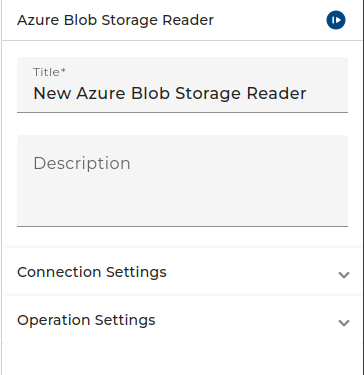
The dialog to configure the Azure Blob Storage Reader looks like:
 |
|---|
| Base view of the channel Azure Blob Storage Reader |
-
In the Blobstore connection combo box, you must select an Azure Blob Storage Connection
-
If in the Blobstore connection the authentication method Client secret is selected, then you must select a User credential of type Technical login in the Access Key combo box. The credential must have a username/password authentication containing the access key id and the access key secret used to authenticate against the Azure blob storage. In the credential the access key id is stored as username while the access key secret is stored as password. If the authentication method Shared key is selected you shall let the Access key empty (
<no access key>). -
From the Operation combo box, you can select LOOKUP, DOWNLOAD, GET_TAGS or LIST.
•In the Call timeout you can configure the amount of time that the Client will be given to complete the call.
Depending on the selected operation, the channel will have different parameters:
DOWNLOAD
This operation downloads a blob from the Azure container. In Orchestra the content of the blob is represented as a Orchestra message.
-
If the Container name as parameter option is selected, the container defined in the Azure Blob Storage Connection is not used. Instead, you must provide the container as value of the CONTAINER_NAME parameter.
-
If you select the Blobs are versioned checkbox, you can download a specific version of a blob. In this case an additional parameter VERSION_ID is available to specify the required version.
| Parameter Name | Description |
|---|---|
| CONTAINER_NAME | If the option "Container name as parameter" is selected, an additional input parameter CONTAINER_NAME is available. In this case, You must provide the name of the container. |
| BLOB_NAME | The identifier of the blob to read. |
| MSG | Output parameter. Receives the content of the blob. Depending on the content type, a JSON message, a structured (XML) message, or a binary message is created. |
| ETAG | Output parameter. A unique ID of the blob content. In most cases, the MD5 checksum of the content. |
| VERSION_ID | If the option "Blobs are versioned" is selected, an additional input parameter VERSION_ID is available. In this case, the parameter denotes the version of the blob to read. The version is also returned as the value of the VERSION_ID output parameter. |
LOOKUP
This operation checks if a blob with the given name exists in the container. If it doesn't exist null is returned, otherwise a small message containing meta information about the blob is returned.
| Parameter Name | Description |
|---|---|
| CONTAINER_NAME | If the option Container name as parameter is selected an additional input parameter CONTAINER_NAME is available. In this case you must provide the name of the container as parameter. |
| BLOB_NAME | The identifier of the blob to lookup. |
| VERSION_ID | If the option Blobs are versioned is selected an additional input parameter VERSION_ID is available. In this case the parameter denotes the version of the blob you want to read. |
| MSG | The result message. If no blob with the given BLOB_NAME exists then null is returned. Otherwise, a JSON message containing a JSON object is returned. It contains the Container-Name, the Blob-Name, ETag, Version-ID, Content-Type, Content-Length, Last-modified timestamp and other properties of the blob. |
GET_TAGS
This operation returns the tags assigned to a certain blob. Tags are simple key value pairs. The tags are returned as a JSON message containing a JSON object. The JSON object contains the tags assigned to the blob.
| Parameter Name | Description |
|---|---|
| CONTAINER_NAME | If the option Container name as parameter is selected an additional input parameter CONTAINER_NAME is available. In this case you must provide the name of the container as parameter. |
| BLOB_NAME | The identifier of the blob whose Tags you want to read. |
| VERSION_ID | If the option Blobs are versioned is selected an additional input parameter VERSION_ID is available. In this case the parameter denotes the version of the blob. |
| MSG | Output parameter. A JSON message containing a JSON object. It contains the tags which are assigned to the blob, that is a sequence of key value pairs. |
LIST
This operation queries information about blobs in a container. it returns a JSON mssage containing an array of JSON objects. Each array element contains some properties of a blob in the container.
| Parameter Name | Description |
|---|---|
| CONTAINER_NAME | If the option Container name as parameter is selected an additional input parameter CONTAINER_NAME is available. In this case you must provide the name of the container as parameter. |
| NAME_PREFIX | You can optionally provide a prefix to limit the blobs you want to read. The name of each blob to be contained in the resulting list must start with that prefix. |
| MSG | The result message. It is a JSON message containing a JSON array. Each array element is an object containing the objectId, eTag, lastModified timestamp of the blob. |