Method
Description
Service declaration implies declaration of methods that a service can perform. Simply said, method describe capabilities of a service and they are crucial for service declaration.
In case you created Service Declaration manually or you simply want to modify service, you can use method section in Designer that allows method editing.
Creation
To add a method for your web service client:
-
Open your service client.
-
Click on the plus sign next to 'method' to add a new method as a child item.
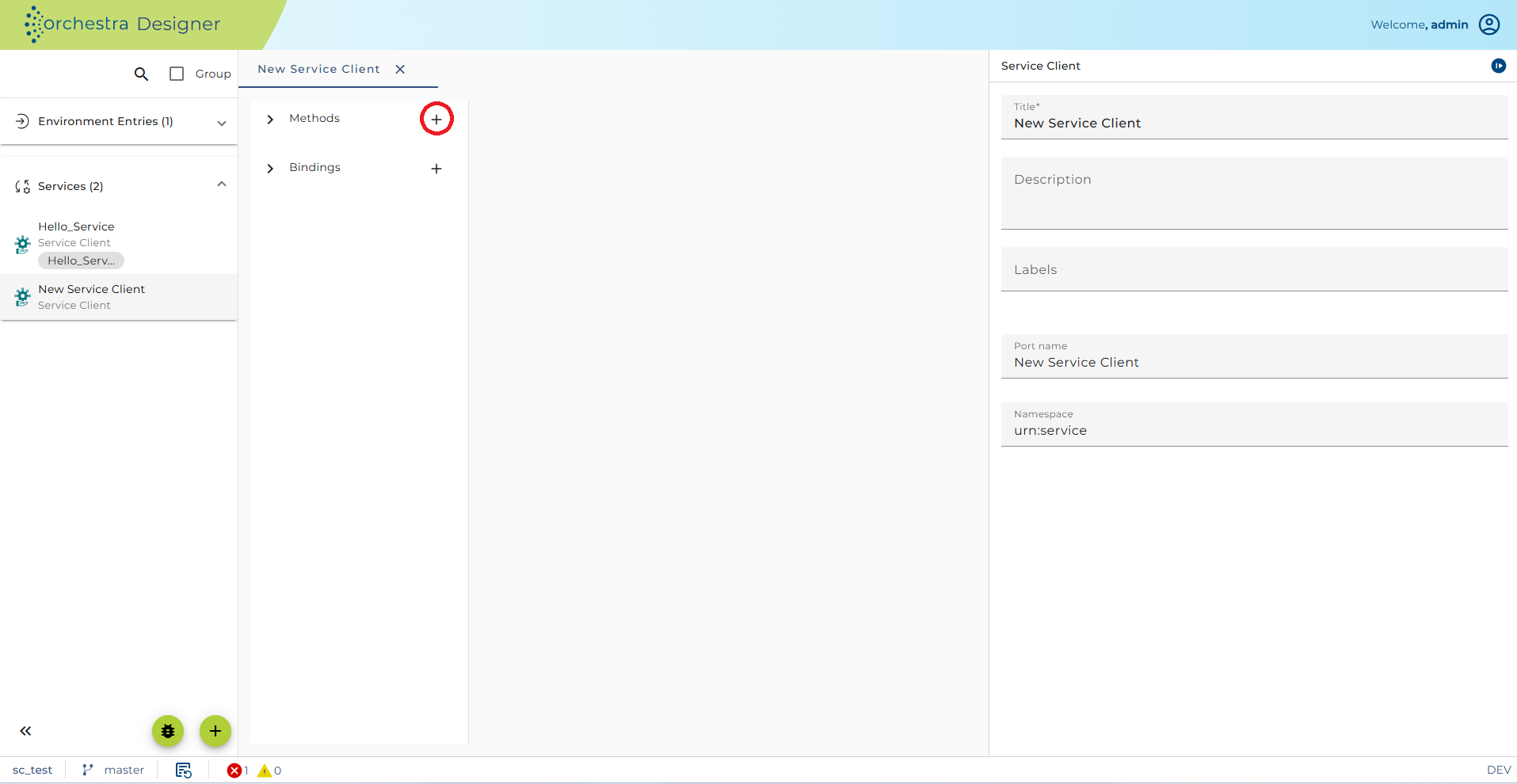
-
Define your new webservice method.
Configuration
After successful creation of method we have to configure it, i.e. set input and output parameters.
You can also set Description for the method.
Exchange Pattern
This configuration is used to denote method behavior and it is similar to Message Exchange Pattern (MEP) from web services. There are following types of exchange patterns:
-
Not defined - will be displayed if in an imported WSDL there is no information about the exchange pattern;
-
Request - method receives a message but does not return a response;
-
Request/Response - method receives a message and returns response;
-
Notify - method sends a message and does not expect response;
-
Solicit/Response - method sends a message and waits for response.
Default exchange pattern is Request/Response
Parameters
Defining input and output parameters of the method is done in Parameter declaration table. Simply click on the plus sign under parameter declaration to add parameters. Click on the parameter to configure it on the right-side panel:

Please have in mind that you need to set Usage - direction of the parameter.