Response
Configuration
For each method, the user can define corresponding responses.
Adding a Response
To add a response:
- Click on the Method and add a response under the Response section.
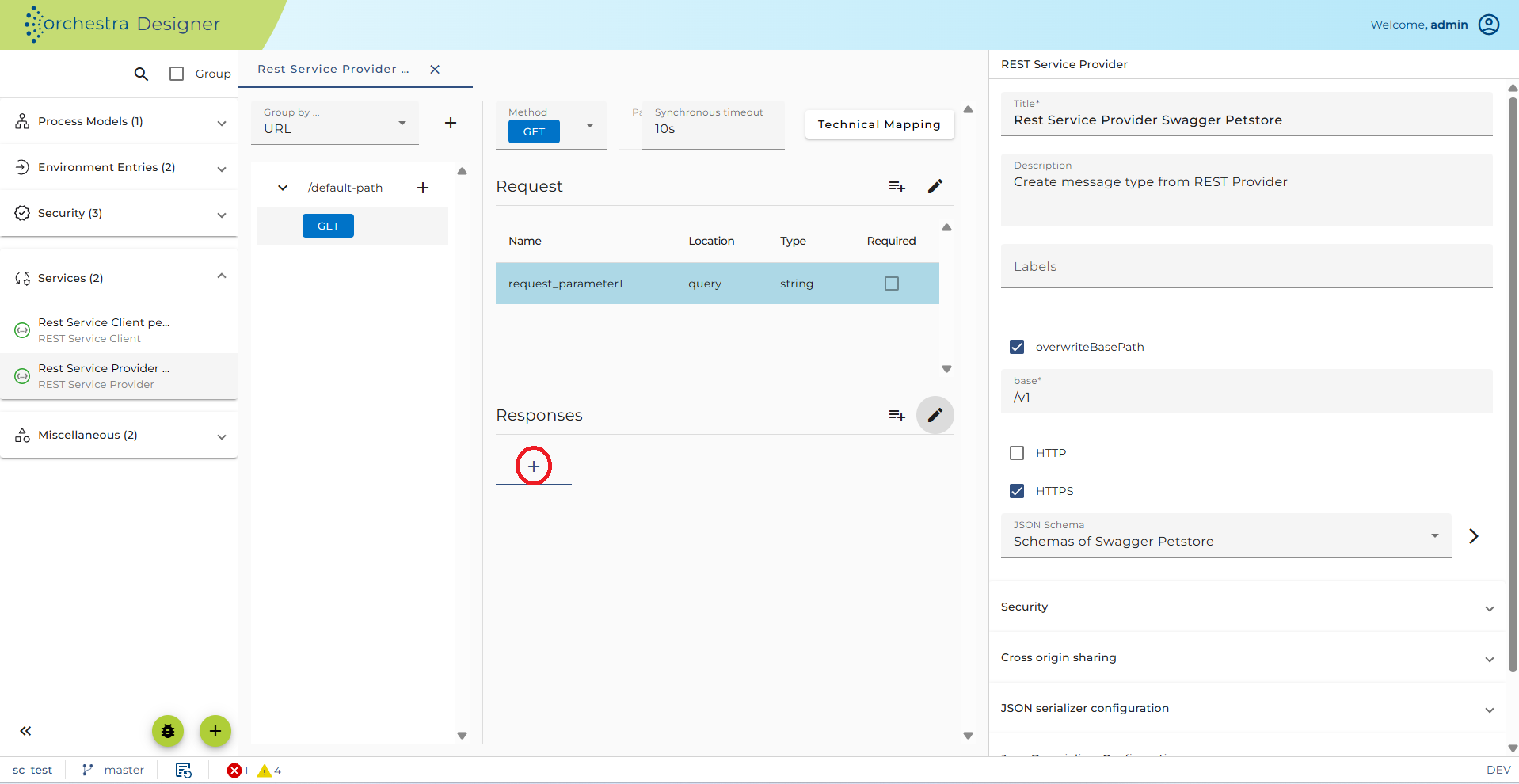
Display and Configure a Response
Click on the Response to display and edit its properties:
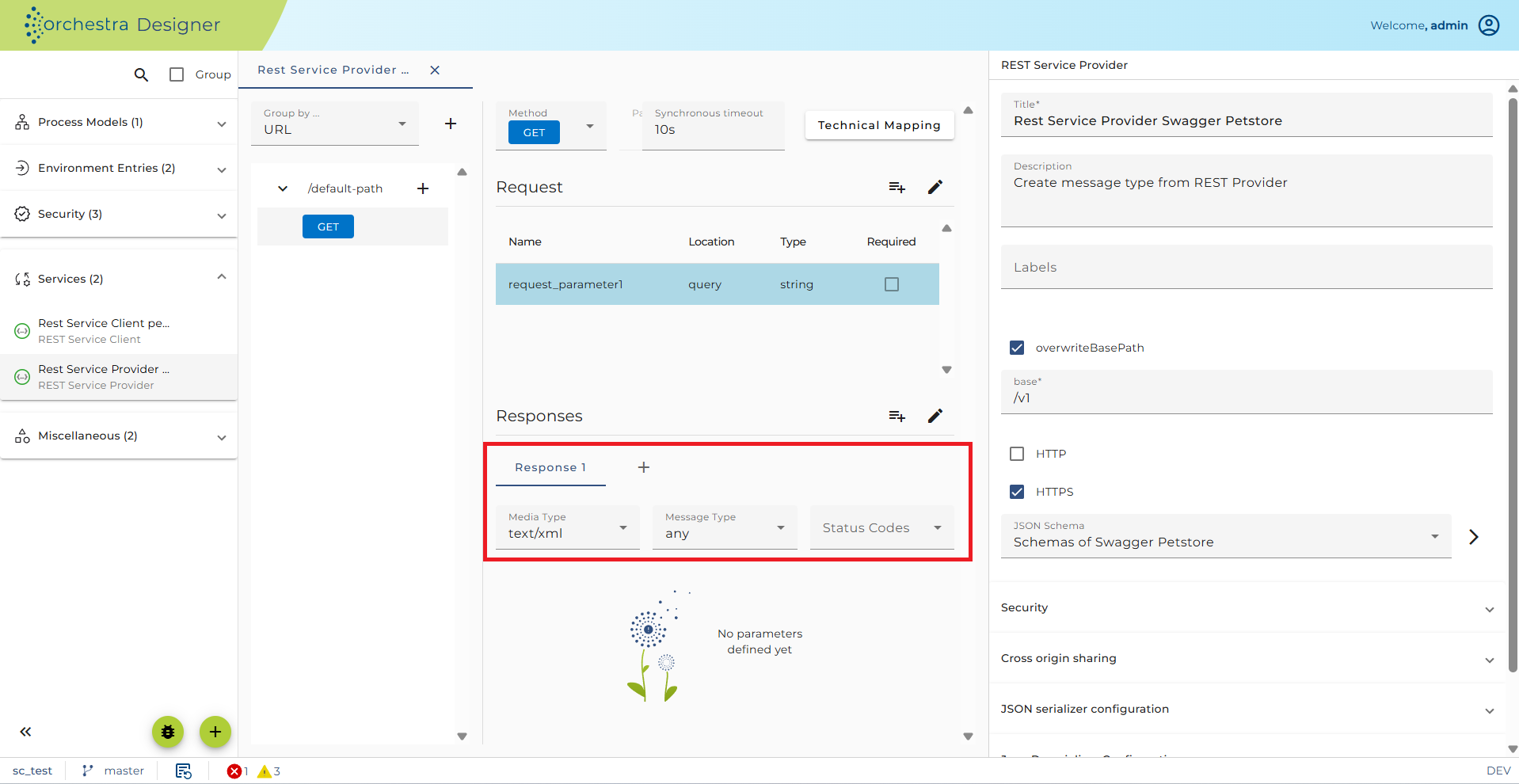
There are five configuration fields related to the Response object:
-
Response: The description of the response. Can be edited as Markdown text by clicking on the Details button. If the Service is exported as OpenAPI, this text will then be added to the OpenAPI specification.
-
Media Type: Defines the format of the method response. If you click on the Example button, you can add an example for the Response message. This example is added when exporting the service as OpenAPI specification.
-
Message Type: Defines the internal Message Type to use for the Response. This information is used to configure the JSON writer with the appropriate message type. In the configuration of the serializers, you must select
<configured type>to ensure that this message type will be used in the JSON writer. -
JSON schema: In OpenAPI, the content of a Response is defined by a JSON schema. You can display and edit this schema by clicking on the edit schema button. Typically, the schema of a Response is a reference to a JSON schema contained in a scenario element of type Resource. If an OpenAPI specification is imported, all the schemas contained in the components part of the specification are imported into a new Resource.
-
Status codes: Here, the user can enter a comma-separated list of allowed result codes for this response. At execution time, the values in this field (if present) are used together with the Media type to find out if the generated response is valid. You could, for example, declare that in case of success (Result code 200), the resulting media type should be JSON, whereas in any other case, the resulting media type should be HTML.
-
Headers: Defines the Response headers. For each header, a Response parameter is generated. In the technical mapping of the REST service method, you must assign an expression to these parameters, at least if they are Required.