Method
Description
Methods describe the capabilities of a service and they are crucial for the service declaration.
Creation
In case you created the REST Service Client manually or you want to modify the service, you can add, delete, and modify HTTP methods.
To add a new Method:
- Click REST service client in the Orchestra designer scenario element panel to open the configuration panel.
- On the left side of the configuration panel, click (+) button on header to create new Resource.
- Click (+) on a created resource to create a new Method.
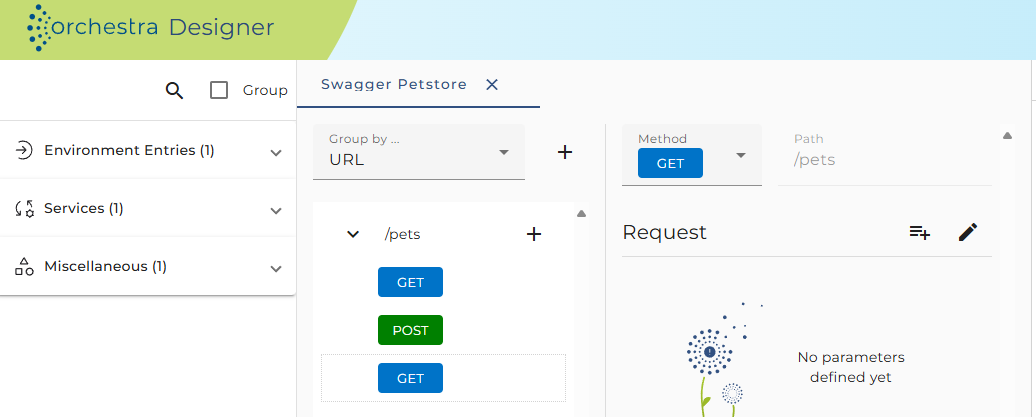
- By default, a new GET method will be created containing one request element.
Configuration
To configure a REST service method, click on the appropriate method element in the REST service tree.
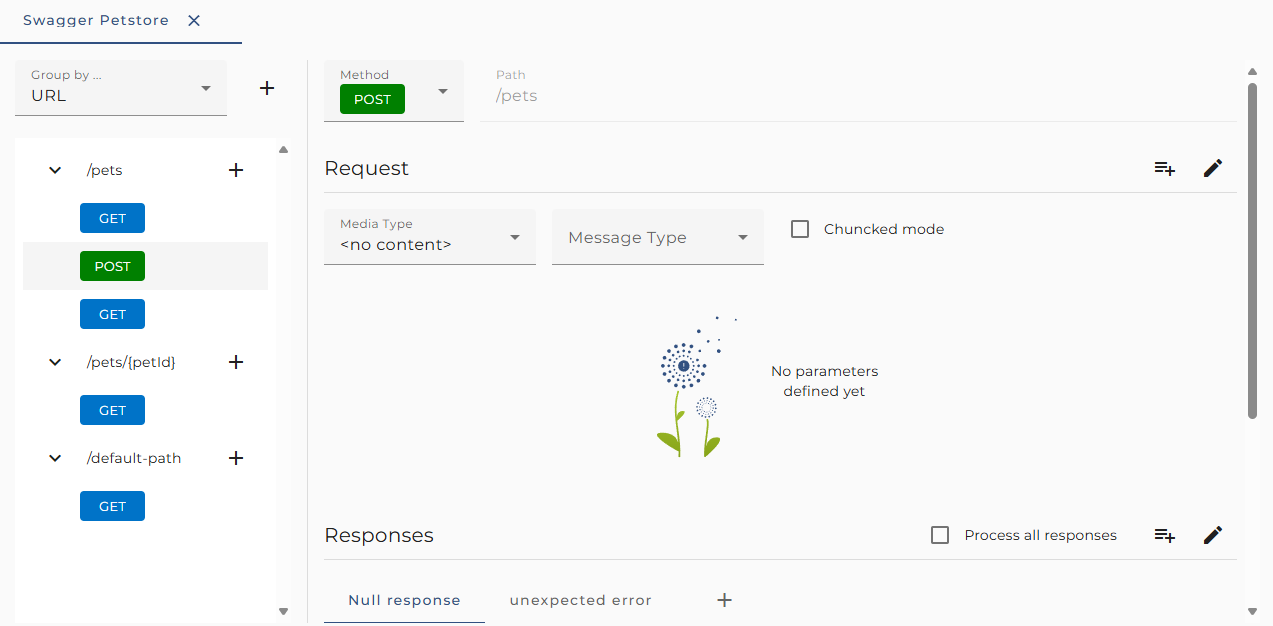
The following configuration options are available:
-
Method: The HTTP method to execute (e.g., GET, POST, PUT, DELETE).
-
URL-Pattern: A read-only field showing an example URL for the method call based on path settings for the Resource element and the Request parameters.
-
Request media type: The format of the request content, as defined in the Request object of the method.
-
Response media type: The format of the method's response, as defined in the Response object of the method.
-
Process all responses: If this checkbox is set, then responses with a status code between 400 and 599 are handled like any other response if they match a defined Response element. If not set, such a response will cause an error in the process model.
Matching a defined Response means that the returned status code must match the Status codes in the Response, and the returned Content-Type must match the selected Media type of the Response.
See also
- See more information in Best pratice "Connecting to an external REST web service"
- Resource Configuration
- REST Service Client Configuration