Configuration
Description
To configure a message type double click on the scenario element and the message type editor is opened. The following picture shows a message type describing a message containing address information of persons. The message also contains information about how the message is to be serialized.
Editing a MessageType
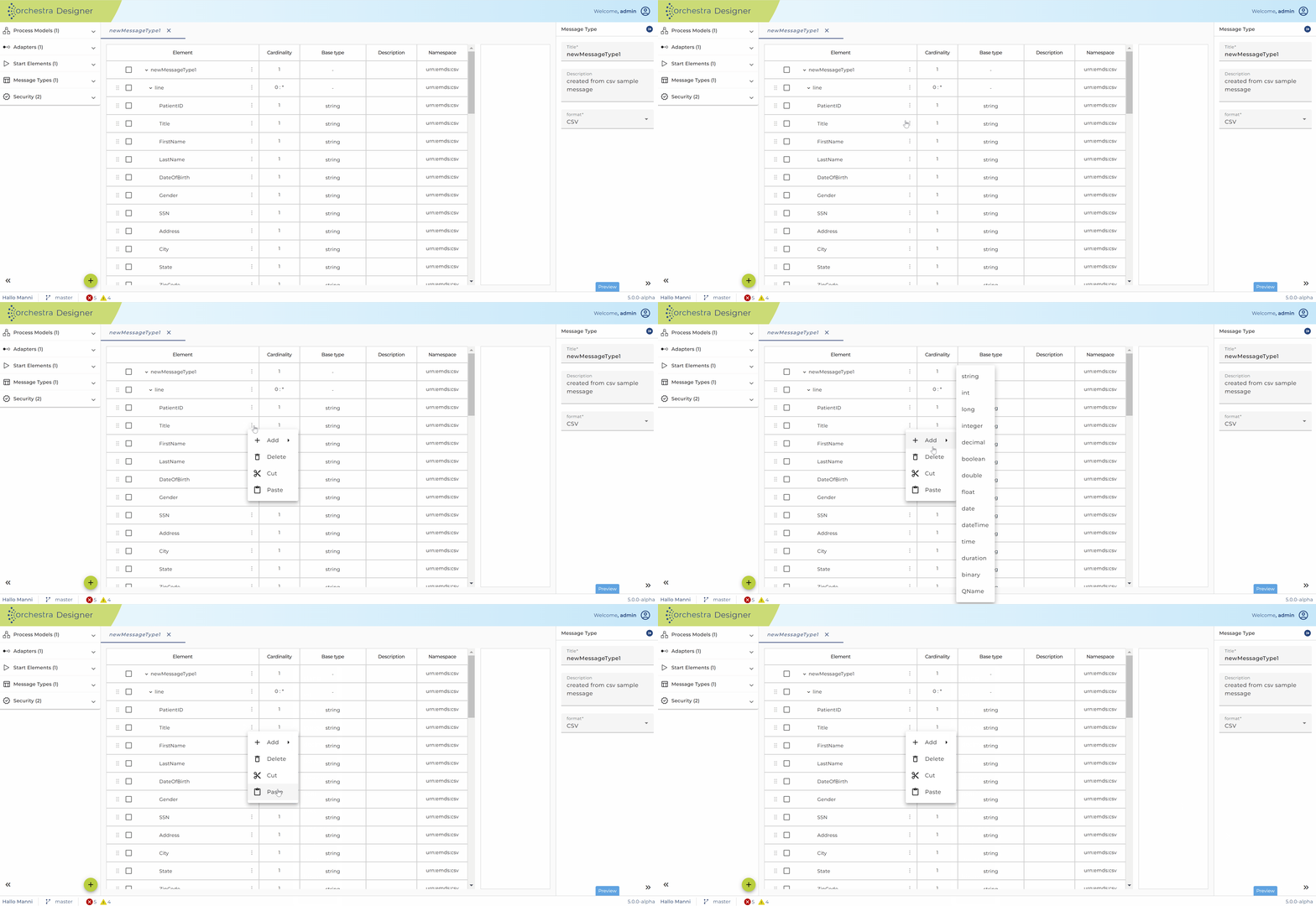
A message type may also have a namespace. Because internally message types are stored as an XML schema, the namespace is the target namespace of that schema. (see XML-Schema). To change it, select the root element of the message type, then you can edit the field namespace in the properties area on the right of the editor. After changing it, in the column named namespace in the table, all the rows will change to the new namespace.
If a message type was expanded from an XML schema then the elements of the tree may have different namespaces if they originally were defined in different schemas.
Changing properties of element nodes within the message type
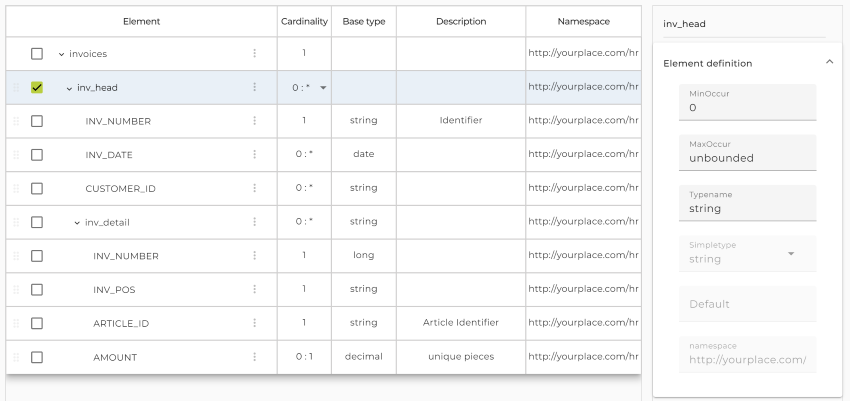
The message type editor shows the hierarchical structure of the message type. Whenever you click on an element on the right side of the editor panel the properties of this element are shown.
The following picture again shows a small message type, together with the properties area on the right side of the message editor.
Note that the default value of an attribute or a simple element can be used in the graphical mapping to automatically create node assignments.
|
|---|
| Editing the properties of an element in the message type tree |
The information displayed here sometimes goes beyond the mere structure and type information. The message type may also carry information about the preferred representation of the message.
For every element of a message type a description may be entered in the field Description.