SAP RFC Receiver
Description
This channel can receive data from SAP.
Please note that this channel uses the SAPJCO libraries from SAP. Since we can not assume that these libraries exist in every system, the SAP adapter is switched off by default.
If you want to use this channel, the configuration parameter sap.jco.enabled in the configuration group adapter must be switched on, see How to enable SAP channels.
Purpose of object
This channel registers itself as a subsystem on a SAP/R3 system. SAP can provide data to this channel via RFC. The channel invokes a process instance in this case. Every data is delivered to this process as message.
Creation
To create a SAP RFC Receiver follow the steps described in the general description of Channels.
Configuration
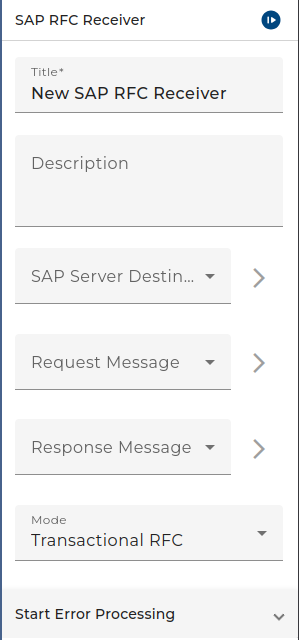
The dailog to configure the SAP RFC Receiver looks like:
 |
|---|
| Base view of the channel SAP RFC Receiver |
SAP-server: Choose an environment entry for the SAP configuration
Request message: Choose a message type for the request message
Response message: Choose a message type for the response message
RFC mode: Choose Transactional rfc (default) or Background RFC
Start error process: If the channel encounters an error you can connect it in the process model with an error start event to create a process instance for handling that error.
If you leave the error hold time field as blank then the process instance will be created every time an error occurs. If errors occur rapidly, a lot of process instances will be created. You can avoid this by entering a period of time in the field. Any further errors occur within this period, no further error process instance will be created.
Throttling
This channel supported by throttling limit feature that described in chapter Throttling designer.
See also
This channel is supported by throttling limit feature that described in chapter Throttling designer.