AWS S3 Writer
AWS S3 Writer is used to store Orchestra message data is an Amazon S3 object store.
Creation
To create an AWS S3 Writer, follow the steps described in the general description of Channels.
Configuration
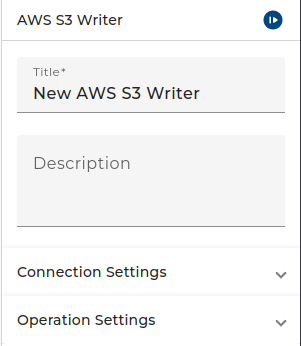
The dialog to configure the Amazon S3 object Writer looks like:
 |
|---|
| Base view of the channel AWS S3 Writer |
In the S3 connection combo box, you must select an Amazon S3 connection
-
In the Access Key combo box, you must select a User credential of type Technical login. It must have a username/password authentication containing the access key id and the access key secret used to authenticate against the Amazon object store. In the credential store the access key id as username and the access key secret as password.
-
From the Operation combo box, you can select UPLOAD, COPY or DELETE.
-
In the Call timeout you can configure the amount of time that the Client will be given to complete the call. The timeout feature doesn't have strict guarantees on how quickly a request will be aborted if the timeout is exceeded. The typical case is that the request is aborted within a few milliseconds, but occasionally there are requests that aren't aborted until several seconds after the timer has been breached.
Depending on the selected Operation and the selected configuration options the Channel will have different parameters:
UPLOAD
This operation uploads the content of a message and stores it under the given object id in the Amazon S3 bucket.
- If the option Bucket name as parameter is selected the bucket defined in the Amazon S3 connection is not used. Instead, you must provide the bucket as value of the parameter BUCKET_NAME.
If the operation UPLOAD is selected additional configuration options are available:
-
If you select the checkbox Objects are versioned, the UPLOAD operation will return the VERSION_ID of the stored object. The DELETE and COPY operations will then require the VERSION_ID of the object to delete or copy. Select this check box only if your bucket is configured to version the stored objects!
-
If you selected the checkbox Compare MD5 hash then the hash is computed by Orchestra and compared with the returned ETag. If the values doesn't match an error occurs. You may also provide the hash value as parameter, if you select the checkbox MD5 hash as parameter.
-
If you have selected the checkbox Additional integrity check, the checksum will be calculated using the selected algorithm. If the server finds that the checksum doesn't match the uploaded content, the upload request will be rejected. Note that this computation requires additional storage in Orchestra. You may also provide the checksum value as parameter, if you select the checkbox Checksum as parameter. This check box is visible only if Additional integrity check is enabled.
•If you have selected the checkbox 0add tags to object then the channel will have an input parameter TAGS of type message. It must contain a Json message containing a Json object resembling the tags to be stored (a set of key / value pairs) along with the message.
| Parameter Name | Description |
|---|---|
| BUCKET_NAME | If the option Bucket name as parameter is selected an additional input parameter BUCKET_NAME is available. In this case you must provide the name of the bucket as parameter. |
| OBJECT_NAME | The Identifier under which the message data will be stored in the S3 bucket. |
| MSG | The message whose content is to be stored as an S3 object. |
| VERSION_ID | If the Objects are versioned check box is selected, the version of the created object is given as the value of this output parameter. |
| MD5Hash | If the MD5 hash as parameter check box is selected, you must provide the MD5 hash of the message content as the value of this parameter. |
| Checksum | If the Additional integrity check check box is selected, a Checksum as parameter check box is visible. If this check box is selected the user must provide the checksum of the message content, computed with the selected checksum algorithm. There will also be an output parameter Checksum containing the calculated checksum. |
| ETag | The unique ID of the created content. In most cases this is the MD5 checksum of the content. |
| TAGS | A Json message containing a Json object resembling the tags to be stored (a set of key / value pairs) along with the message. This parameter is available only if you have selected the checkbox add tags to object. |
COPY
This operation creates a copy of an object stored in a bucket.
If the option Bucket name as parameter is selected the bucket defined in the Amazon S3 connection is not used. Instead, you must provide the bucket as value of the parameter BUCKET_NAME.
If you select the check box Objects are versioned, the COPY operation can copy a specific version of the object. Select this check box only if your bucket is configured to version the stored objects!
| Parameter Name | Description |
|---|---|
| SOURCE_BUCKET | If the Bucket name as parameter option is selected, you must provide the name of the bucket as the value of this input parameter. |
| SOURCE_OBJECT_NAME | The Identifier of the object to copy. |
| TARGET_BUCKET | If the Bucket name as parameter option, is selected you must provide the name of the destination bucket as the value of this input parameter. |
| TARGET_OBJECT_NAME | The Identifier of the new object to be created as a copy of the source. |
| VERSION_ID | If the Objects are versioned option is selected, you can provide a specific version of the object you want to copy. In this case, the version ID of the copy is also returned as the value of the output parameter VERSION_ID. |
DELETE
This Operation deletes an object on the S3 object store.
If the option Bucket name as parameter is selected the bucket defined in the Amazon S3 connection is not used. Instead, you must provide the bucket as value of the parameter BUCKET_NAME.
If your bucket is configured to version the stored objects, you can select the check box Objects are versioned. In this case the delete marker of the deleted object is returned. You then also can provide a specific version id to delete a specific version of the object permanently.
| Parameter Name | Description |
|---|---|
| BUCKET_NAME | If the option Bucket name as parameter is selected an additional input parameter BUCKET_NAME is available. In this case you must provide the name of the bucket as parameter. |
| OBJECT_NAME | The Identifier of the object you want to delete from the bucket. |
| VERSION_ID | If the Objects are versioned option is selected, an additional optional input parameter VERSION_ID is available. If you specify this parameter, the specified version of the object is permanently deleted. The version of the deleted object's delete flag is returned as the value of the VERSION_ID output parameter. |