SoapBinding
Description
The SOAP Binding is used to make a service provider available to external systems.
Creation
To add a SOAP Binding for your web service provider:
-
Open your service provider.
-
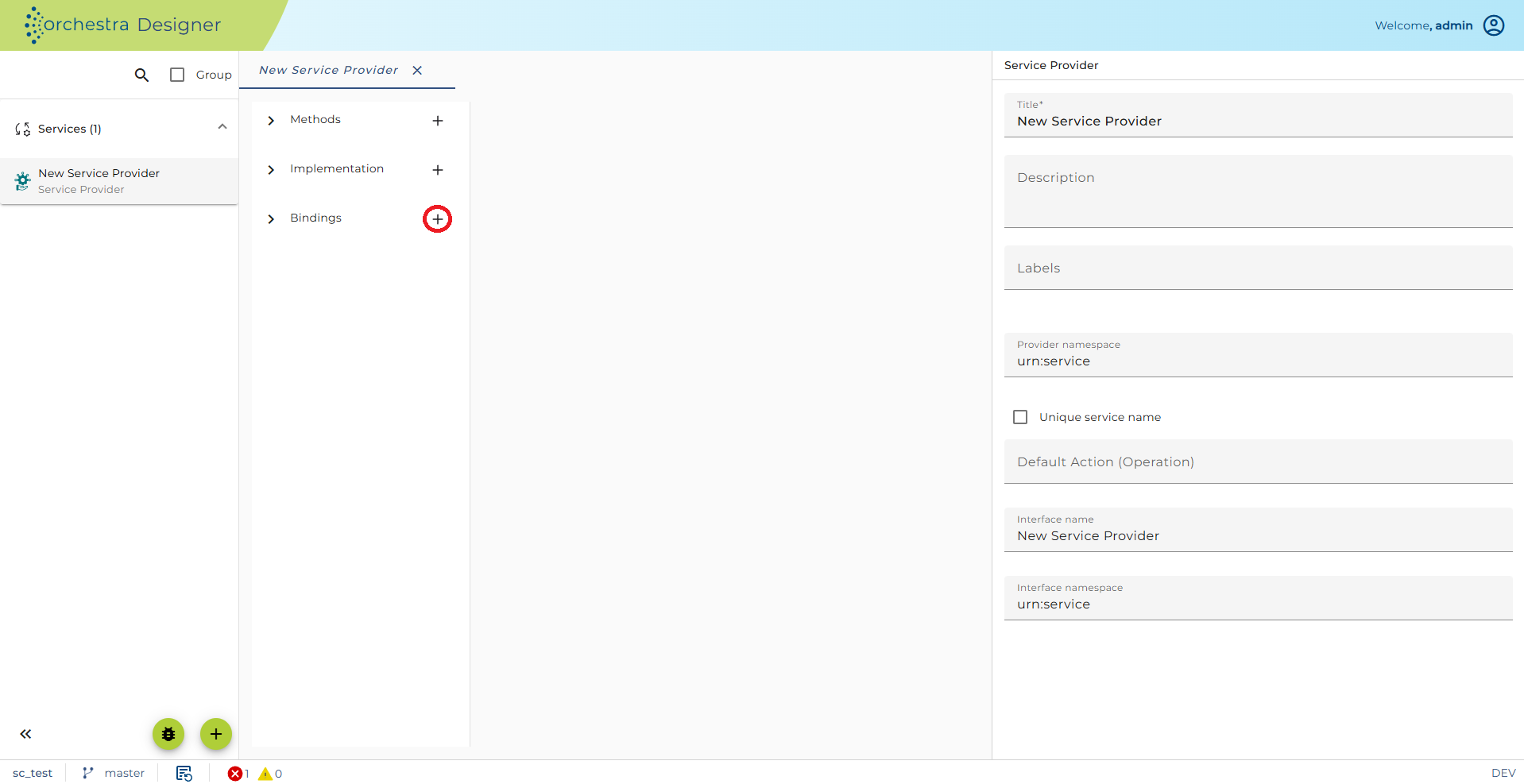
Click on the plus sign next to 'Binding' to add a new Binding.
-
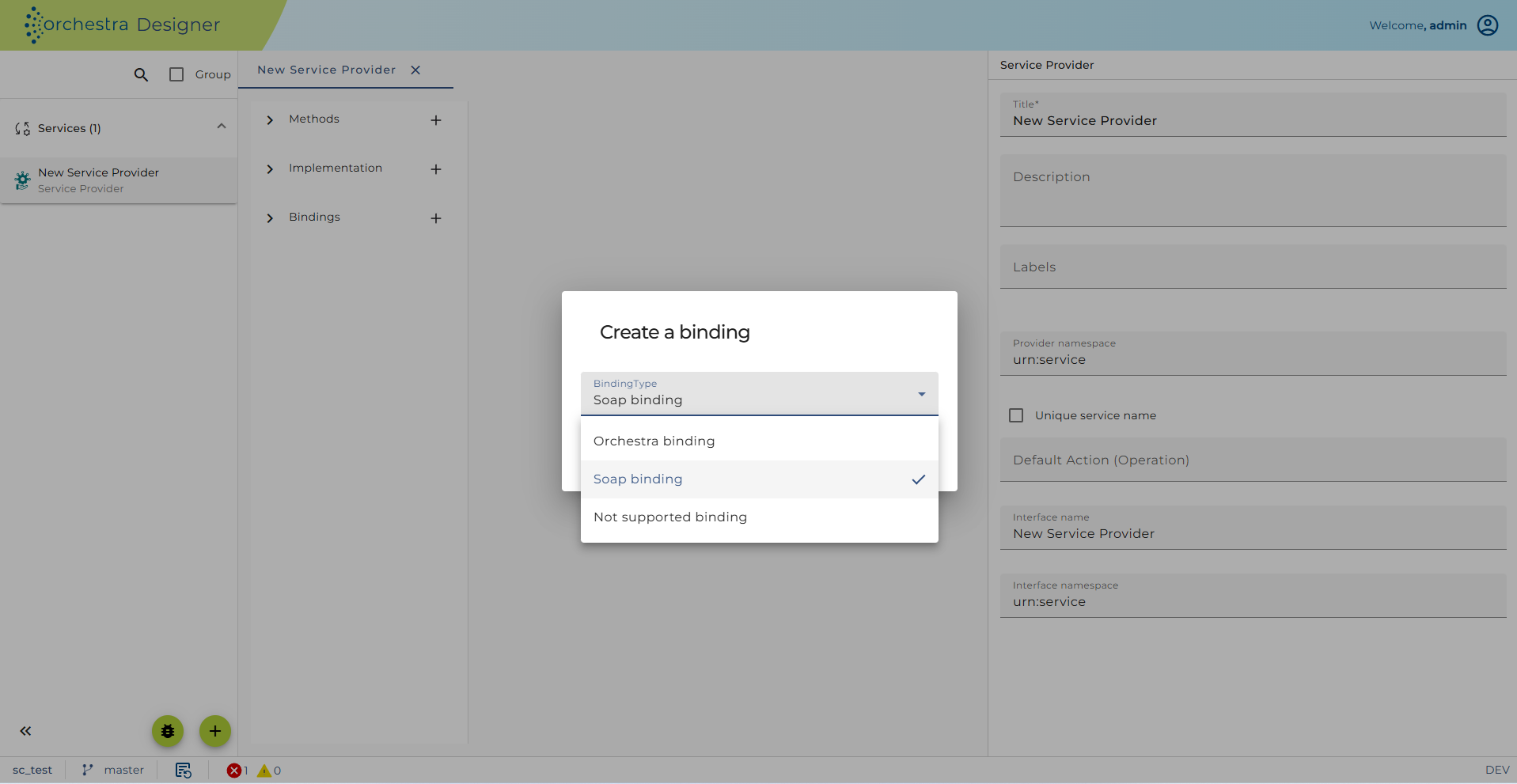
Expand the dropdown, select 'SoapBinding' and click [OK]
 warning
Note: A web service also requires a corresponding channel by which it can be addressed from outside. Such a channel will be provided in the web service by a port. It defines among others the settings, the protocols and SOAP configurations.
-
Open the context menu for the item [Ports] and finally click on [Add port].
Configuration
Binding configuration
After you created SOAP binding, complete structure for binding configuration will be created with default settings:
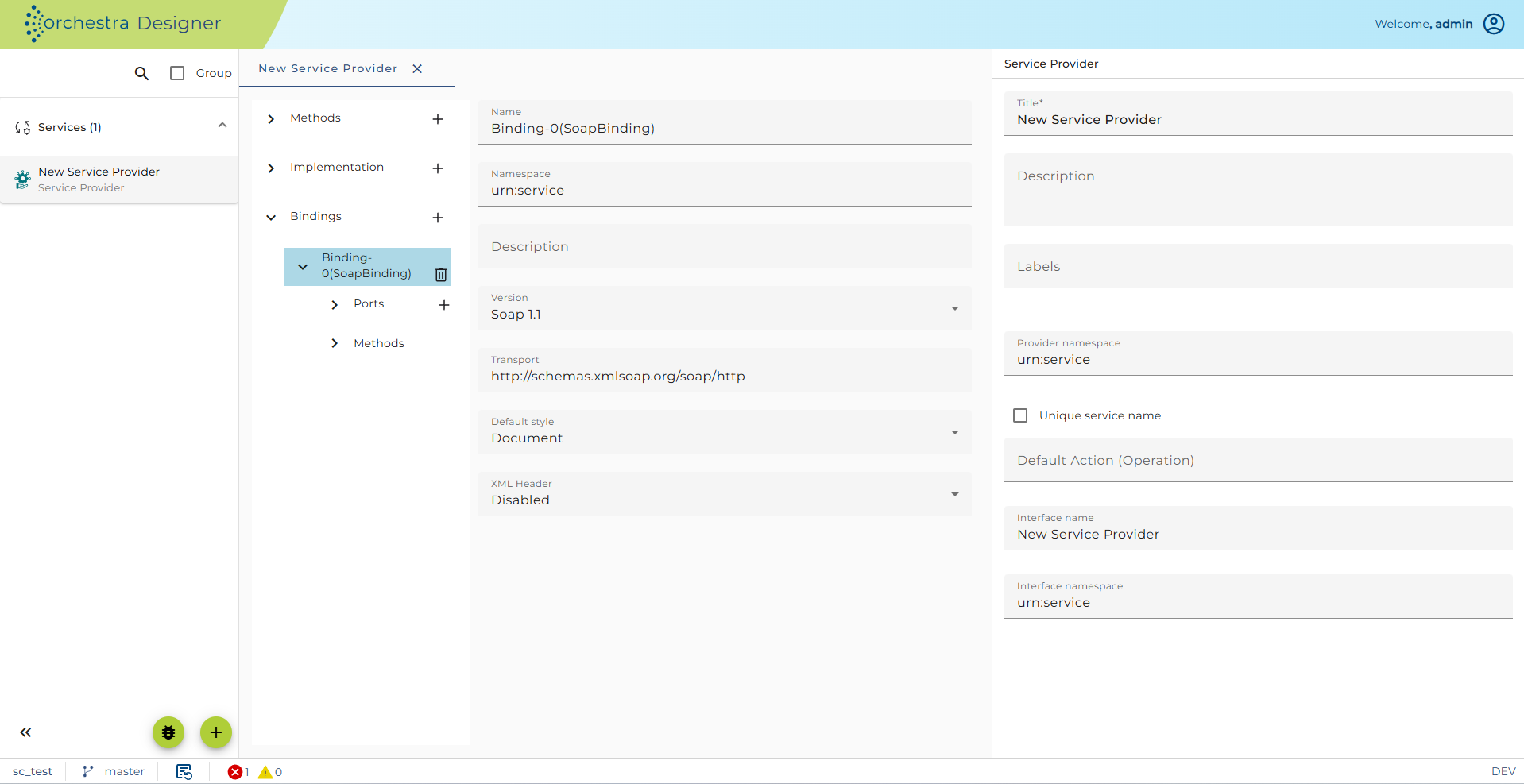
Here you may
-
enter a description of the port
-
select the SOAP version (1.1 or 1.2)
-
select the Default style for the operations (document or rpc)
-
select if the sent SOAP response has a XML declaration or not
-
select if MTOM (large message elements transferred as SOAP attachments) should be processed: That means that the content of certain child elements is replaced by a xop reference and the data itself is transferred as attachment. Orchestra recognizes the elements to be handled by two properties:
-
They must be simple elements that only contain text nodes
-
and they must have an XML attribute "
{"http://soffico.de/orchestra/soap/processing"}serialize="MTOM" or have the attribute xsi:type="base64Binary" and a value longer than 512 bytes.
-
This transformation is executed on the SOAP result before senting it to the caller.
Port configuration
A Binding will have one Port item and for every operation an operation specific binding - item that allows configuration on the operation level.
When you click on a Port element you will see the configuration for the port.
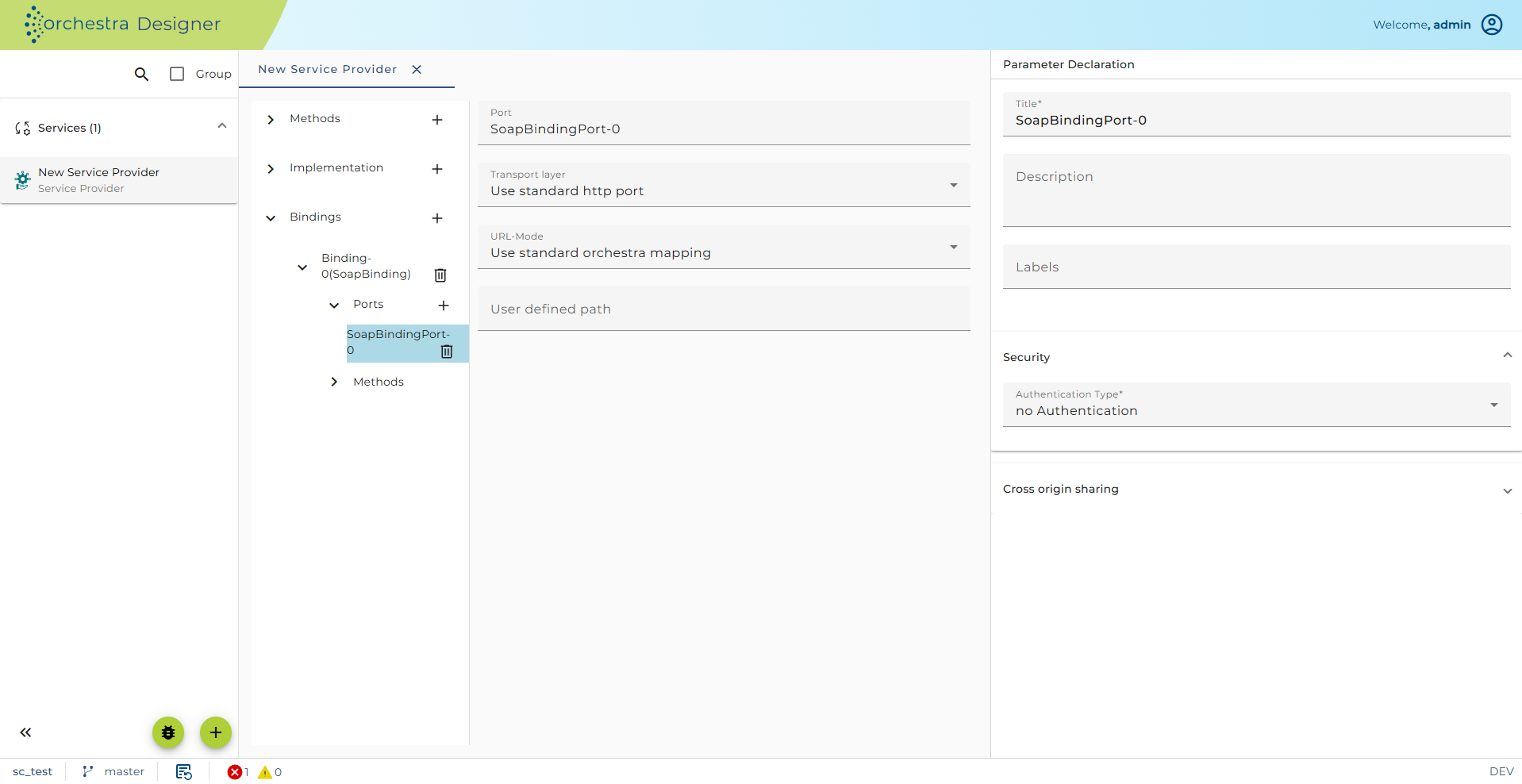
Here you define if the SOAP data are sent using HTTP or HTTPS.
If you select User defined URL mapping instead of standard orchestra mapping you can explicitely define a URL through which the Web service should be accessed.
Authentication and Authorization
For more detailed information about this configuration refer to configuring authentication.
Security configuration
If you select an authentication method you also may also select a role which must the caller have to be allowed to call this service. If no role is selected than all Principals are authorized to use the service. They even do not to have to exist as Security Credentials.
By selecting specific roles, you are allowing only Security Credentials that have at least one of the selected roles assigned to call the service. Note that a Security Credential has to contain a public certificate for a Principal (client).
Some of the check boxes are valid only for certificate based authentication which requires HTTP resp. TLS.
-
Allow access for anonymous certificates: In situations with many clients which use certificate authentication it is inconvenient to add a certificate with a corresponding role for each of them. With this option every valid certificate coming from the client is accepted. It can only be selected if no role is selected in the authorization table.
-
Check certificate chain: If enabled, the whole certificate chain is validated.
-
Check validity: This option checks whether the expiration date of the certificate is in the future or not. If the certificate does not have a valid expiration date, no connection can be established.
-
Check signers against truststore: The client certificate chain (or certificate) is validated against Orchestra's truststore. If any certificate inside the certificate chain sent by the client is found inside the truststore the user is authenticated.
-
Trusted signer: The trusted signer is a certificate credential of type "Trusted Server". The incoming certificate is checked whether it is signed by this certificate or not. If not the authentication fails and no connection will be established.
Transport security (TLS) configuration is described in mor detail in the chapter Configuring TLS.
Method Configuration
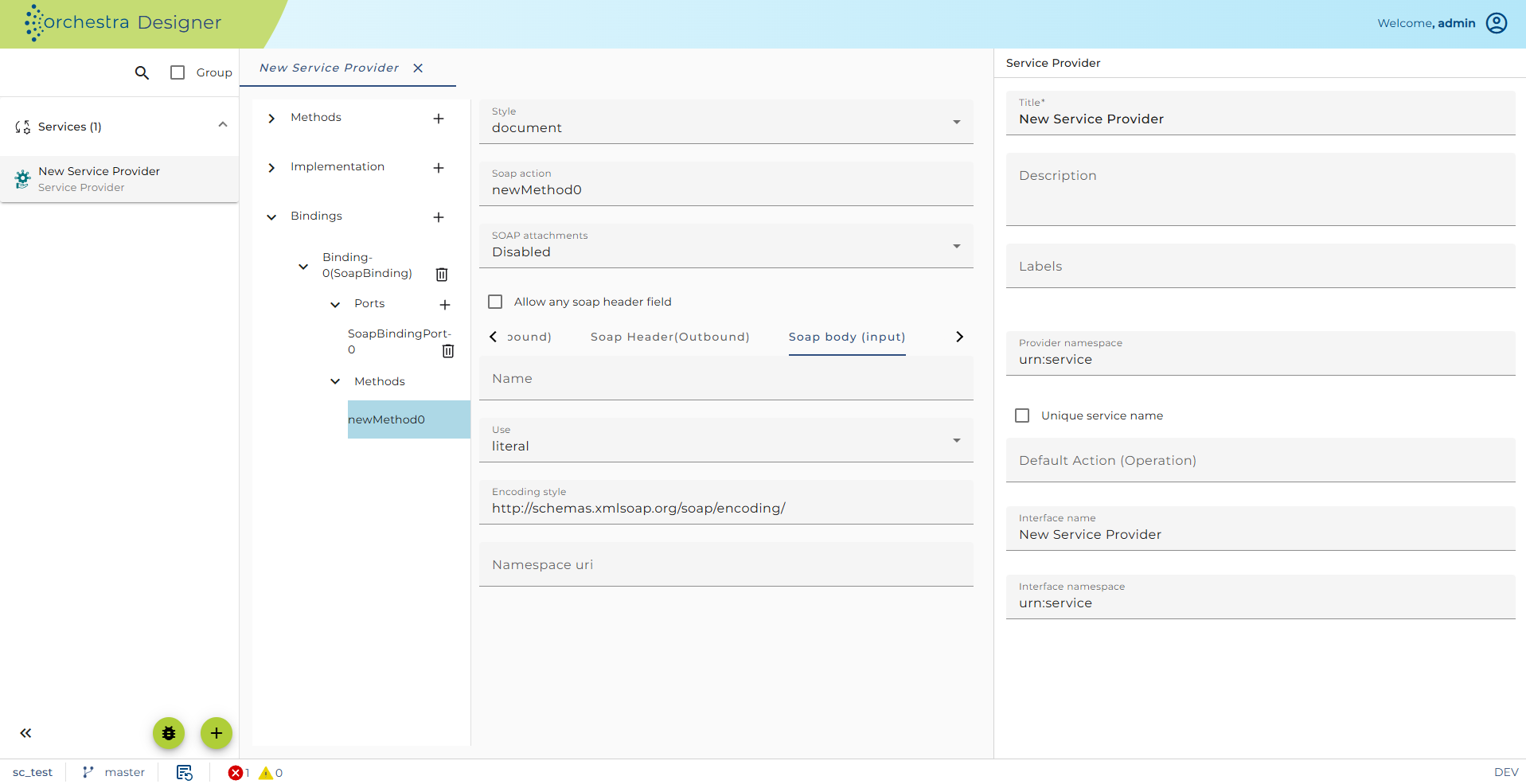
Please navigate to Operations->Bindings->SoapBinding-> and expand the dropdown for methods. Following content will be shown:
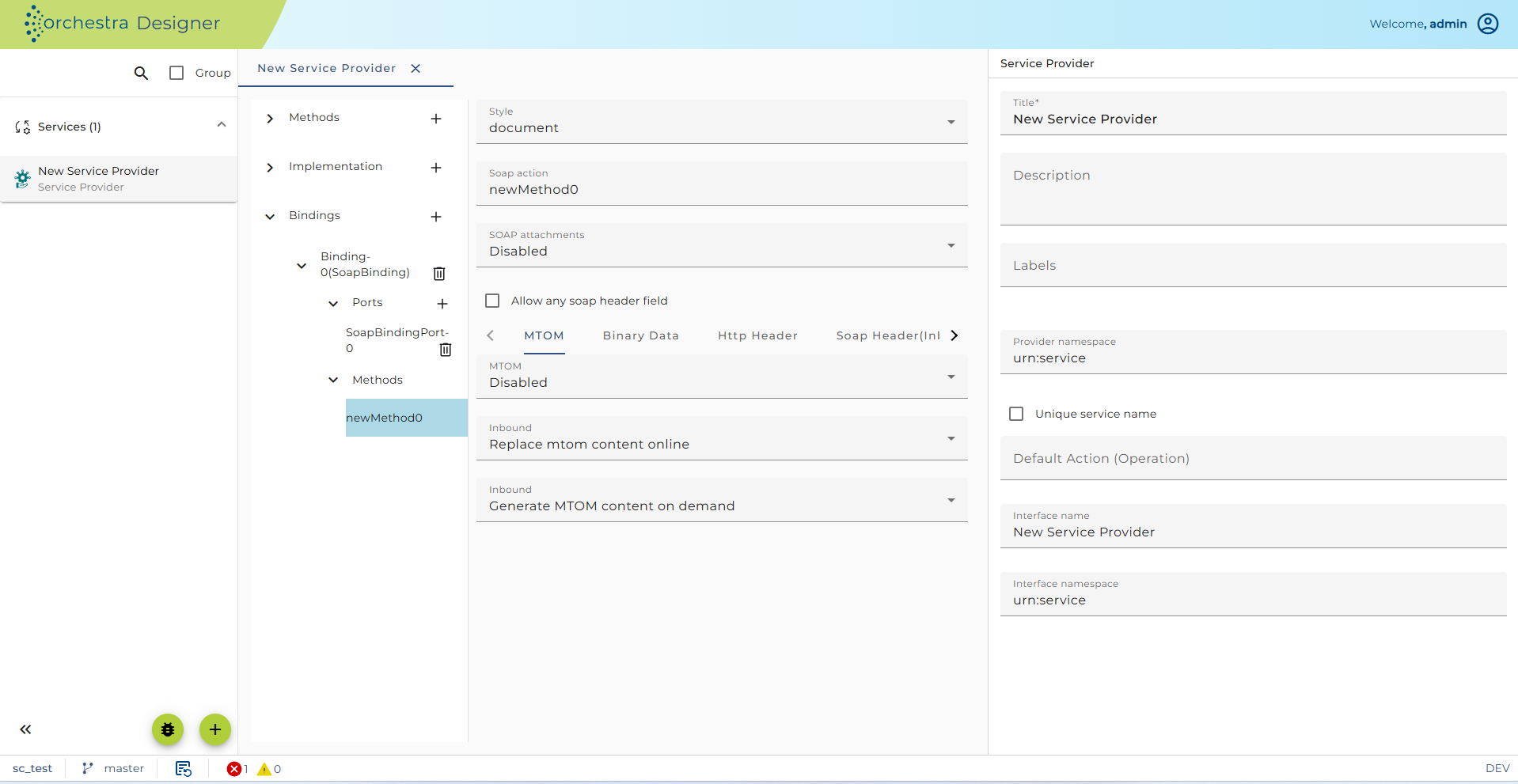
Here you can configure
-
the Style of the operation (RPC or document oriented)
-
the expected Soap action this is an action name sent from the client; the current operation is called if the client sends the configured action name.
-
support of SOAP Attachments: If set, the Method has as an additional parameter soap_attachments of type MESSAGELIST. This way in both directions (request and response) additional messages can be transferred as SOAP attachments.
MTOM handling (Message Transmission Optimization Mechanism)
-
The MTOM section defines the behavior of orchestra in case of binary content that has to be transmitted in MTOM-Mode. If this feature is enabled, binary content will be transmitted according to the MTOM-Rules. For outgoing messages, the source message is searched for elements that contain "MTOM-content". In this case, the content is replaced with an xop-include element and the binary content itself is added as soap attachment. For ingoing soap message (with MTOM-content), the attachment is automatically translated, so that it can be used by the scenario developer in further processing steps.
-
For ingoing soap message (with MTOM-content), the attachment is automatically translated, so that it can be used by the scenario developer. Currently three modes exist.
-
The MTOM content can be embedded as base64 encoded text in the soap message.
-
Store the MTOM-content as binary file
-
Store the or a binary message.
-
In the latter two cases, only a reference to the message is added to the soap message. This is useful when very big soap attachments are transmitted.
-
-
For outgoing messages, the source message is searched for elements that contain "MTOM-content". If such a content is found, it is translated according the MTOM rules. In this case, the content is replaced by an xop-include element and the binary content itself is added as soap attachment. An element content is recognized as MTOM relevant
-
If a xsi:type attribute with value base64Binary exists.
-
Alternatively, the element can be marked with an attribute
{http:~//soffico.de/orchestra/soap/processing}serialize. If that attribute contains the value MTOM the content will also be transferred in MTOM mode. -
Furthermore, elements that contain an attribute "orc_MTOM_referenceToBinaryFile" or "orc_MTOM_referenceToBinaryMessage" will be handled as MTOM. The attributes hold references to files or binary messages that contain the externalized MTOM content.
-
-
If MTOM is enabled and Content-Type is set to "always generate mtom type" , the Content-Type application/xop+xml and a Content-ID is set on the response message, even if no MTOM elements are contained in the message. Otherwise, it will only be generated if MTOM-content was found during the outbound processing.
Handling of binary data
-
Binary data is often transmitted as base64 encoded content within a SOAP message. In such a case, especially when big binary content is transmitted, orchestra offers a specialized behavior that reduces the amount of memory required for the transmission.
-
For ingoing messages, orchestra traverses the message and searches for elements that are given in "Binary-Element". Whenever an element is found, the content is taken and stored externally to a file or an orchestra binary message. Whenever possible, orchestra tries to stream the content directly to the message without loading it into the main memory. This is possible if the message does not contain attachments.
- The "Elements with base64 content" field contains a comma separated list of element names (e.g.
{urn:soffico:soap}image,{urn:soffico:soap}binaryAttribute ) that require a special treatment, since they contain base64 encoded binary content. Whenever such an element is found in an ingoing message, the special handling for binary content will be applied. This means the binary content is removed from the soap message and written to an external file or a binary orchestra message. The soap message itself contains only a reference attribute, that points to the externalized content.
- The "Elements with base64 content" field contains a comma separated list of element names (e.g.
-
If binary handling for outgoing messages (SOAP Writer) is enabled, the source message is analyzed. Whenever an element content is recognized as relevant, a special handling will be applied. An element is relevant if it contains one of the attributes "orc_referenceToBinaryMessage" or "orc_referenceToBinaryFile". The attributes hold references to external files or binary messages that contain the externalized binary content. Whenever such an attribute is found, the content of the external resource is taken and added as base64 encoding to the message. Whenever possible, orchestra tries to stream the content directly to the receiver without loading it into the main memory. This is possible if the message does not contain attachments.
Standard Handling
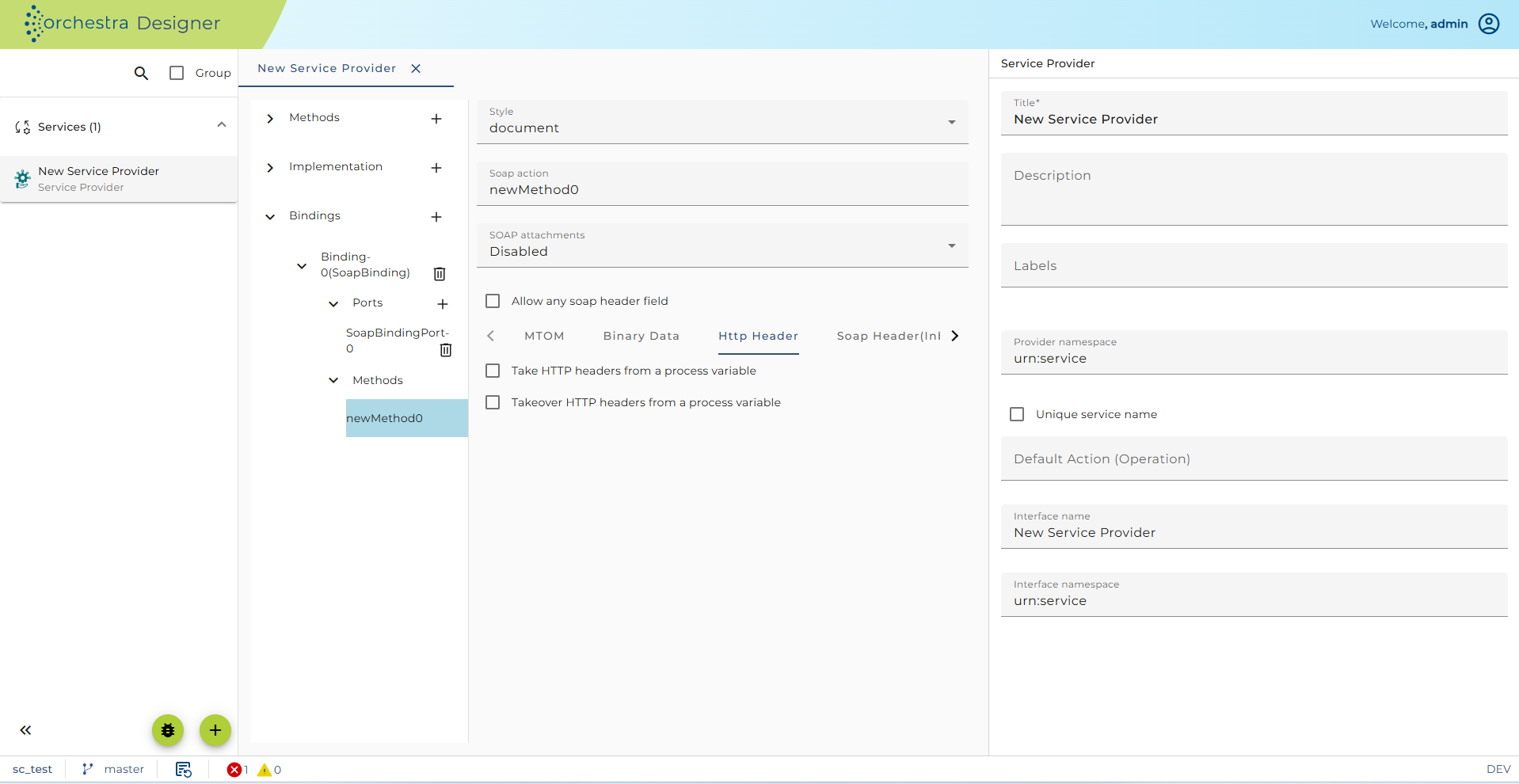
- support of HTTP headers: They are then available as parameter soap_httpHeader of type Any. The actual java type of the variable is
Map<String,List<String>>. You have two check boxes for handling of HTTP headers sent with the SOAP request and HTTP header returned to the caller with the SOAP response.
Configuration for the SOAP header
Here you can configure how the SOAP header is to be processed. You can define Elements allowed in the header. Simple set their name, type and other properties and click on the Add button to create the new header element. Then it will be added to the SOAP headers available through the combo box Header. To delete a Header declaration select it, and click on the Del button.
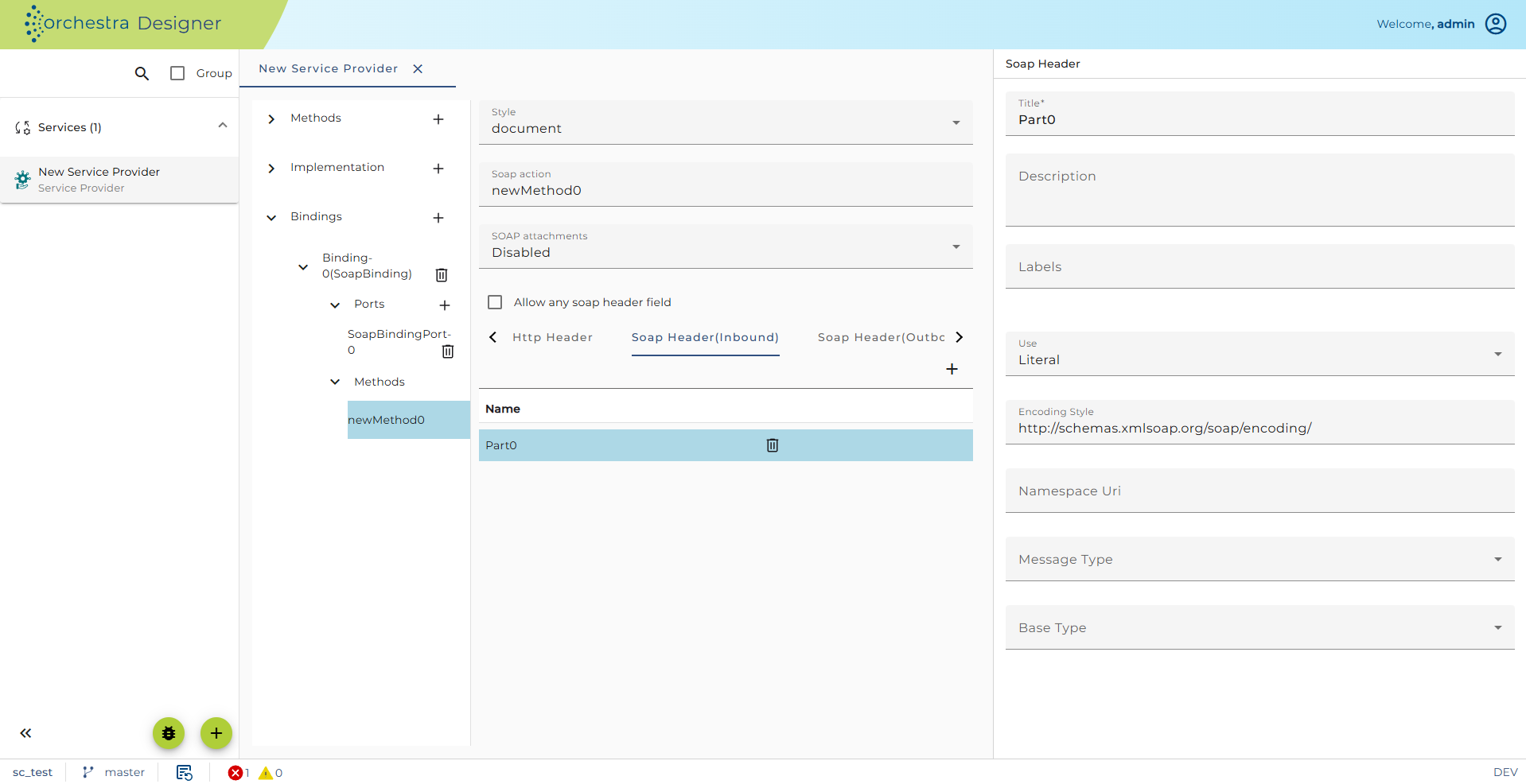
A SOAP header declaration has the following properties:
-
the Name of the Header is the name of the XML element within the SOAP header and also the name of the Parameter visible in the implementation of the operation e.g. the process model. Typically it is the same name as the Part.
-
Part is the name of the associated part in the WSDL
-
Use literal or encoded
-
Encoding style used for the creation of the WSDL
-
Namespace URI the namespace of the XML element within the SOAP header
-
Base type the Orchestra data type of the element value
-
If Base type is MESSAGE you can additionally select a Message type here which describes the structure of that element
If the option Allow any header field is set, then any field is allowed even if no parameter is defined to get the content of that header.
Configuration for the SOAP body
The information in this panel is used only to modify the WSDL which can be exported from the service.