Mongo DB Reader
Description
The MongoDB Listener is an inbound channel which scans a MongoDB for records matching certain conditions. Whenever records are found matching the search condition, the records are read and their content is returned from the channel as a JSON message. The recognized records are then marked as read by setting a flag on the document, to prevent the records from being processed a second time.
Purpose of object
The MongoDB Listener serves as means to start a process model whenever the content of a database table changes.
Creation
To create a MongoDB Reader follow the steps described in the general description of Channel.md
Configuration
The dialog to configure the Database Listener looks like:
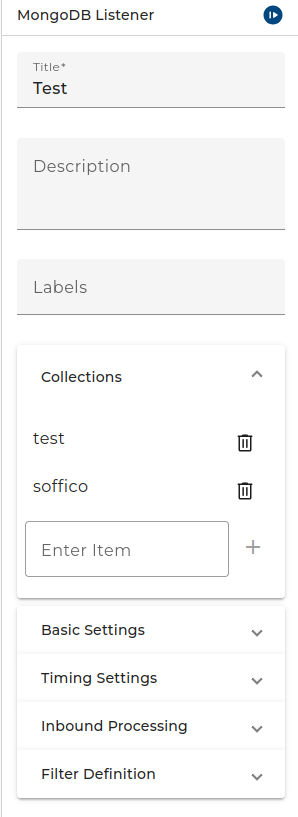
Collection Management:
- The collection where Orchestra listens for changes.
Basic Settings:
- Database The selected database connection.
- Mode There are two working mode which you can select here: One message per record or Create one message with all available records.
- Threshold The maximum number of records which are read at once within a polling interval. You can select 1, 10, 50, 100, 250 and infinite here.
Timing Settings:
- Defines the polling duration of the Listener Channel. For further information see topic: Timer.md
Inbound Processing:
- Start error process Defines the behavior in the event of an error.
Filter Definition:
- The filter defines which documents are getting processed. To see how the filter works see the official MongoDB documentation (https://www.mongodb.com/docs/compass/current/query/filter/#std-label-query-bar-filter)
In the filter text you may add variable references in the form $(name). E.g. if you enter a filter
{"user":"$(username)"}the channel gets a new input parameter named username.