Overview
Description
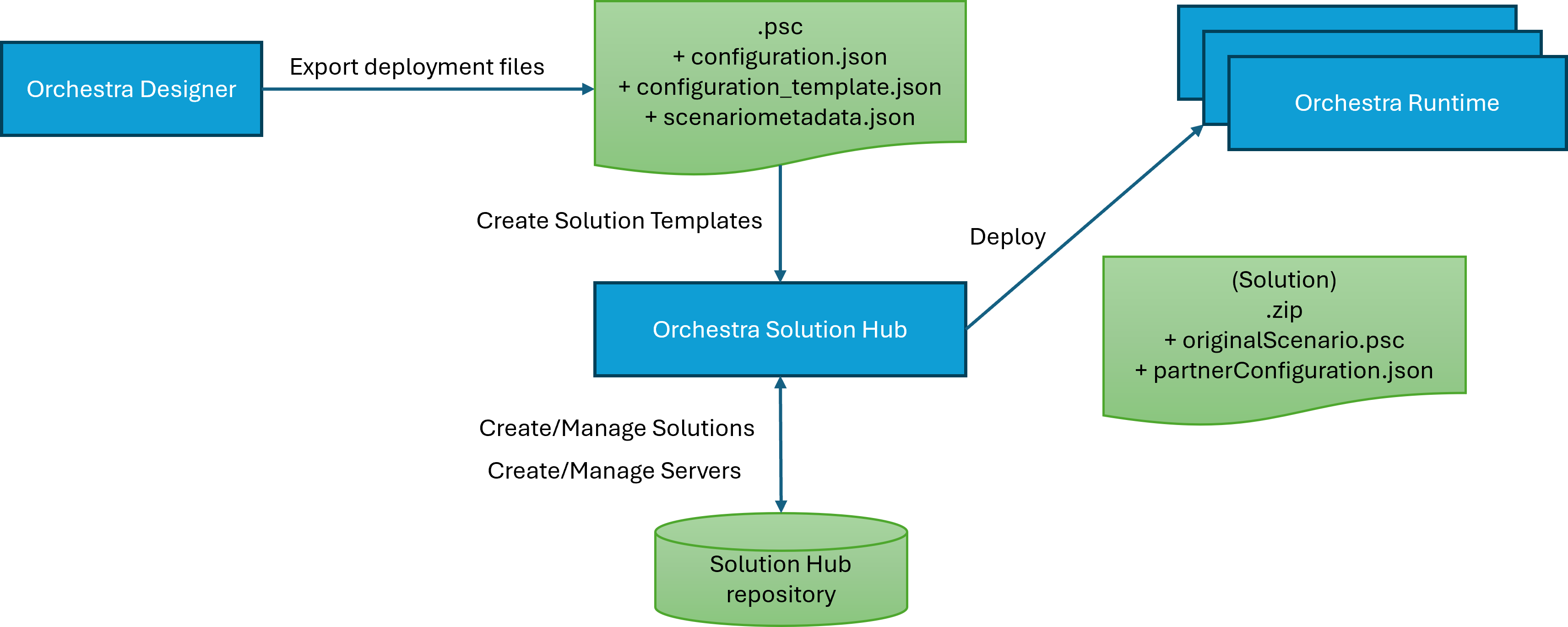
Solution Hub is a useful tool for organizing the scenarios created by the Orchestra Designer and the deployment process that involve multiple Orchestra Runtime servers.
Abstract examples of use-cases can be the distribution of given information between a sender-scenario and any number of receiver-scenarios or to reunite information given by diverse sender-scenarios to work within a single receiver-scenario. The Transmission occurs either by the transfer of events (publisher-subscriber, sender-receiver) or signals.
The different examples are listed below:
Publisher-Subscriber:
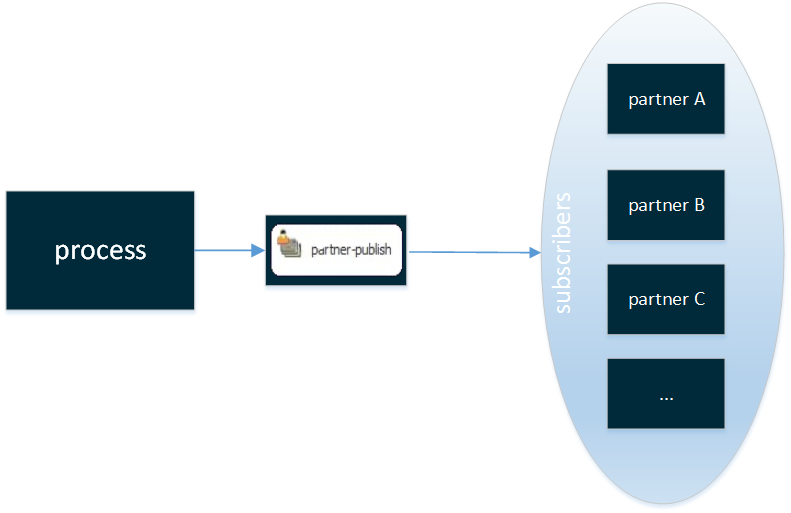
Exemplary use-case: Read information from a single database, create a file and deploy the file on all subscribers FTPs.
Sender-Receiver:
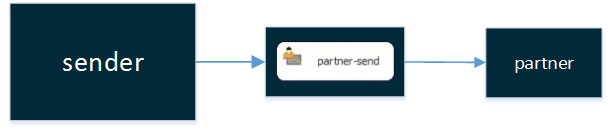
Exemplary use-case: Send information to a specific partner.
Throw-Catch-Signal:
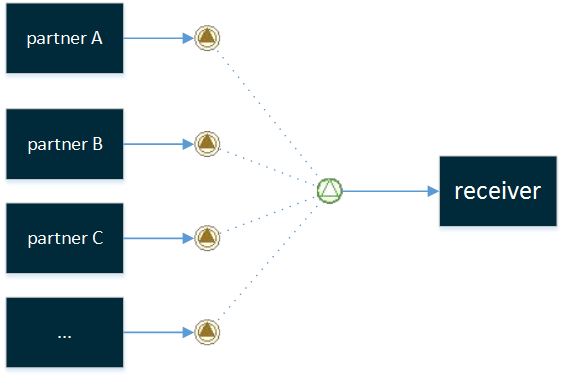
How the Solution Hub works
After a user has configured a scenario to their specifications by the Orchestra Designer, they can export it into a single deployment file (.psc).
The deployment file includes self-described configuration files (configuration.json, configuration_template.json and scenariometadata.json).
The configuration.json and configuration_template.json contain information about the scenario elements and its configuration that can be overwritten, while the scenariometadata.json file contains information regarding the functional scenario elements that will be executed if the specific events and conditions are met.
The user can upload the deployment file to the Solution Hub , then a solution template is created and configuration files are extracted to be used as configuration templates.
With the solution template, the user can use it to create solutions and configured them as needed. When the solution is configured and ready, the user can link the solution with an Orchestra server and deploy the solution.