Settings
Selecting Settings from the context menu of a table will display the Settings dialog with the following configuration options:
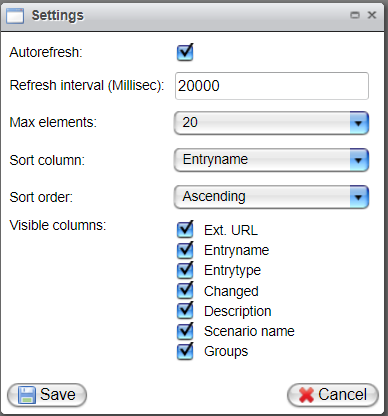
| Description | Setting |
|---|---|
| Autorefresh | Automatic refresh: On/Off |
| Refresh interval | Refreshing interval: Only positive values are allowed. Negative values will be stored absolutely. If "0" is entered, the default value of 20 will be used instead. Changes will be visible after restarting the monitor. |
| Max elements | Number of entries per page. |
| Sort column | Column used for default sorting. |
| Sort order | Default sorting type: Descending or Ascending. |
| Visible columns | Selection of table columns to be displayed. |