Undeploy a scenario
Description
To remove a scenario completely from the runtime, use the undeployment operation. This action will permanently delete the scenario, along with any referenced landscapes, channels, configuration settings, etc.
There is no rollback/undo of an undeployment operation!
Using the Context Menu
-
Select a single scenario and perform a right-click to open the context menu.
-
Choose the "Undeploy" command and confirm the action by clicking "Yes" in the confirmation dialog.
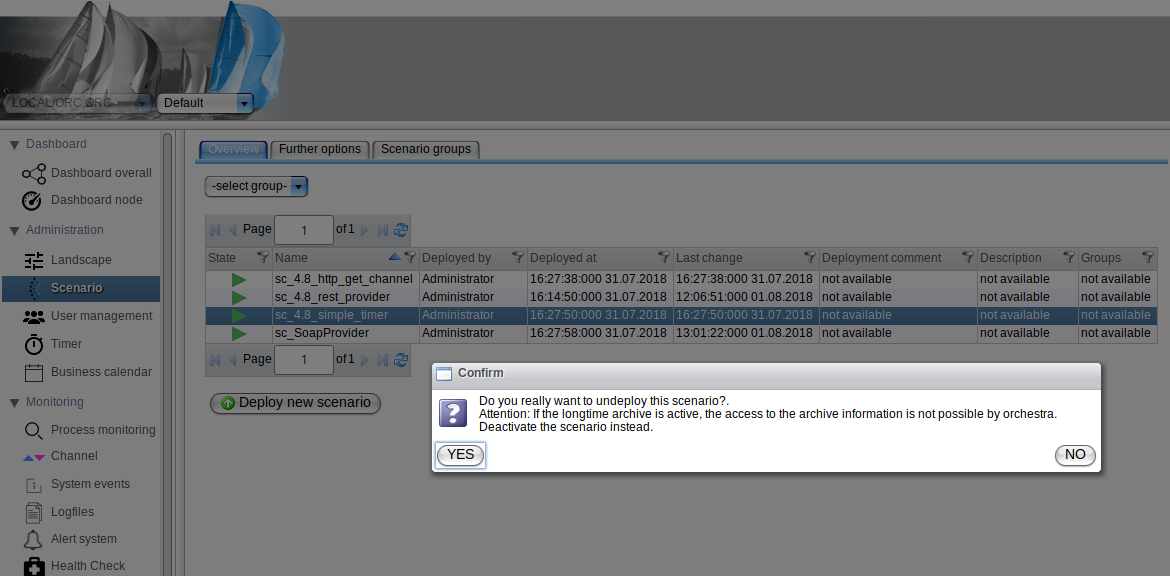
Using the Scenario Detail View
-
Select a single scenario, then right-click on it to open the context menu.
-
Select "Details" from the context menu. A dialog will appear displaying further details about the scenario.
-
At the bottom of the dialog, click the "Undeploy" button to open the confirmation dialog as described above.
In the case of a bundle, selecting a scenario contained in a bundle will undeploy all scenarios in that bundle.
Further details can be found in the chapter Scenario Group.