Scenario
Scenarios are typically created in the Orchestra Designer. After testing and verification, they are uploaded (deployed) to the Orchestra Runtime.
The Orchestra Runtime can simultaneously handle multiple Scenarios while providing additional options for their maintenance.
The "Scenario" section can be accessed in the Orchestra Monitor (Web interface) on the left-hand side as a sub-item under the category "Administration".
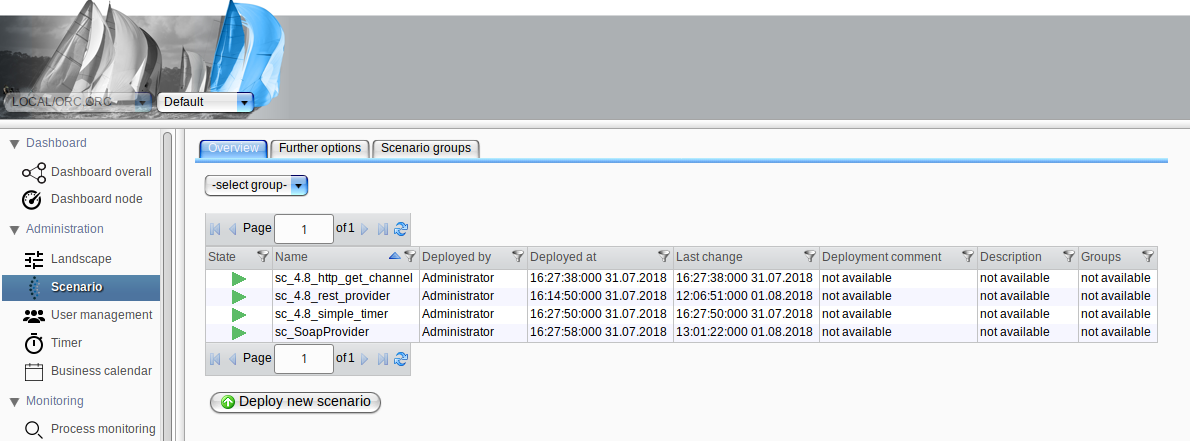
The actions available on the "Overview" tab are detailed in the following chapters:
- Deployment of a Scenario
- Starting and Stopping a Scenario
- Redeploy a Scenario
- Undeploy a Scenario
- Scenario Details
- Scenario Triggers
The "Further options" tab is described in the chapter Scenario Further Options.
The "Scenario groups" tab is described in the chapter Scenario Grouping.
In addition to downloading a Scenario file (.psc) via the Monitor user interface, it is also possible to do so using REST services. Refer to Deployment REST service for details.