Patch Details
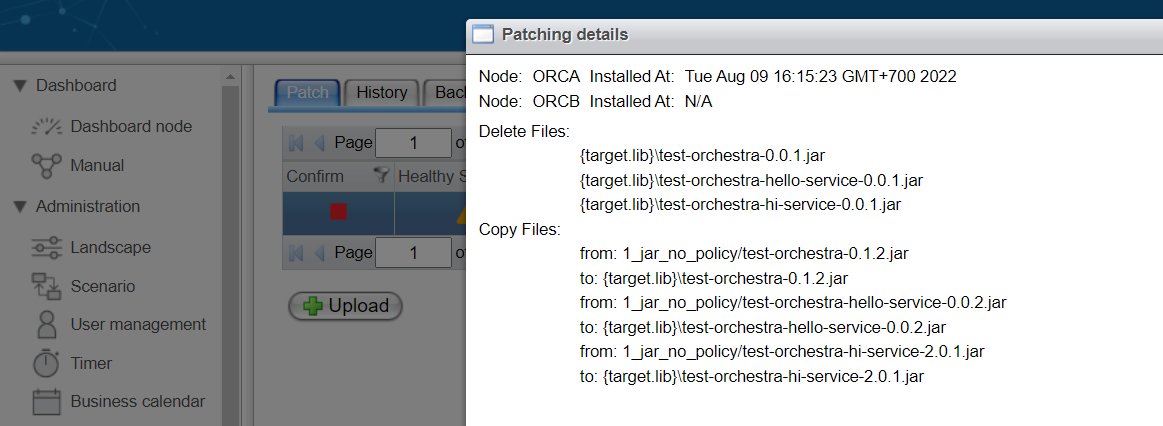
The patch detail dialog provides a comprehensive overview of a specific patch.
It can be accessed via the context menu of a patch in the Patch table and includes the following information:
-
Node:
The name of the node containing the selected patch. In cluster mode, the patch must be uploaded to all nodes within the cluster. -
Applied At:
The timestamp indicating when the patch was applied to the node.- If the patch has been applied, the applied date and time will be displayed.
- If not, the message "Waiting for apply" will be shown.
-
Delete files:
The list of files to be deleted post-patch application. -
Copy files:
The files contained in the ZIP that should be copied to a target directory.- From: The source files in the ZIP file.
- To: The destination directory for the copied files.
-
Restore file:
The path to the lib folder after applying the patch, which should be copied to the target folder.
In cluster mode, details for multiple nodes will be shown in the detail view.