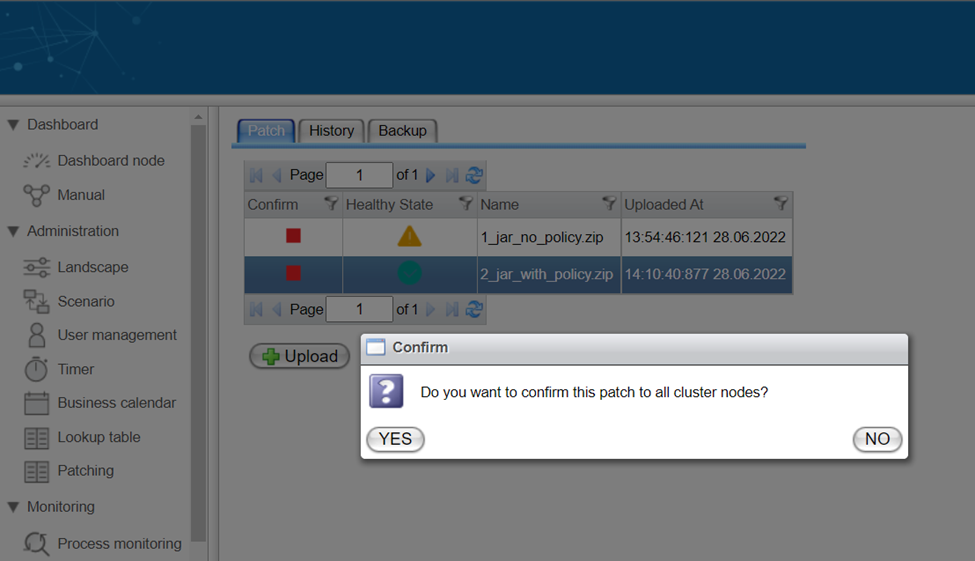
Confirm Patch
A patch can have one of two states: Confirmed or Ignored.
If a patch is Confirmed, it is ready to update Orchestra on the next restart. Conversely, if a patch is set to Ignored, it will await confirmation to be included in a future update.
Different methods to confirm or ignore a patch are outlined in the following chapters.
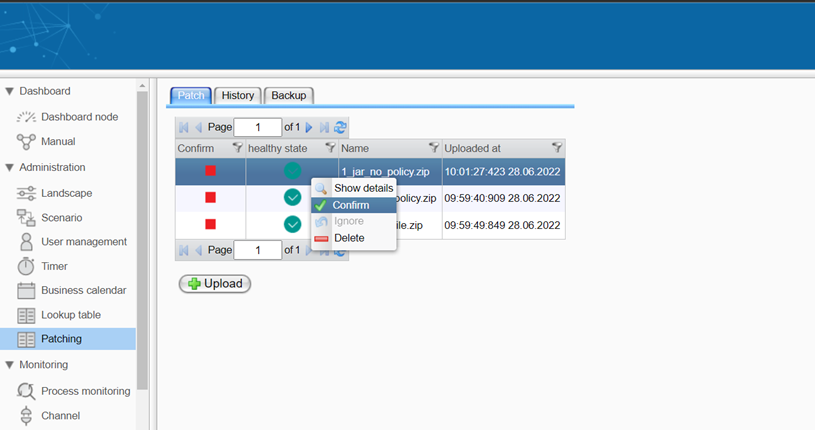
Using the Context Menu
Select a patch from the table and perform a right-click. The context menu will appear, providing options to confirm or ignore the selected patch:
Double-Clicking the "Confirm" Column
You can also change a patch's confirmation state by double-clicking the icon of your patch in the Confirm column.
In cluster mode, an additional confirmation dialog will prompt you to agree that the patch will be confirmed for all cluster nodes before changing the confirmed state.
Click YES to update the confirmation state across all nodes in the cluster. Alternatively, select NO to update only the local node.