Landscape History
Changes in the landscape of deployed scenarios are stored in the database, allowing for reversion of landscape entries to a previous state.
The history will be updated in the following cases:
-
Scenario deployment (initial deployment and redeployment)
-
User changes landscape settings
-
User reverts landscape settings to an earlier state
View History
To view the history of a landscape entry in Orchestra Monitor, select the desired entry in the Landscape section and right-click to open the context menu.
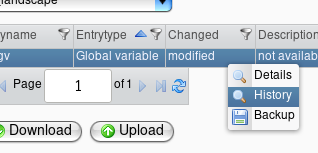
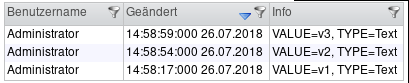
Clicking on "History" in the menu will open a dialog displaying the history of the landscape entry. Each row in the history table contains the following information:
-
Internal version tag (hidden by default)
-
Name of the user who modified the landscape
-
Timestamp of the last modification to the landscape entry
-
Preview of the displayed settings
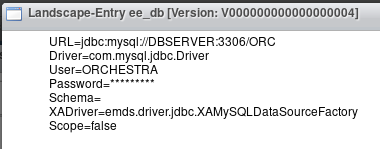
Double-click on a history row to view all key-value pairs associated with that entry:
Revert to an Earlier State
Right-click on a row in the history of a landscape entry to revert to that version (i.e., an earlier state of the entry). The landscape will be reverted immediately, and the history will be updated to reflect these changes.