Requesting a License
The License Management can be found in the Monitor Sidebar in the Settings section.
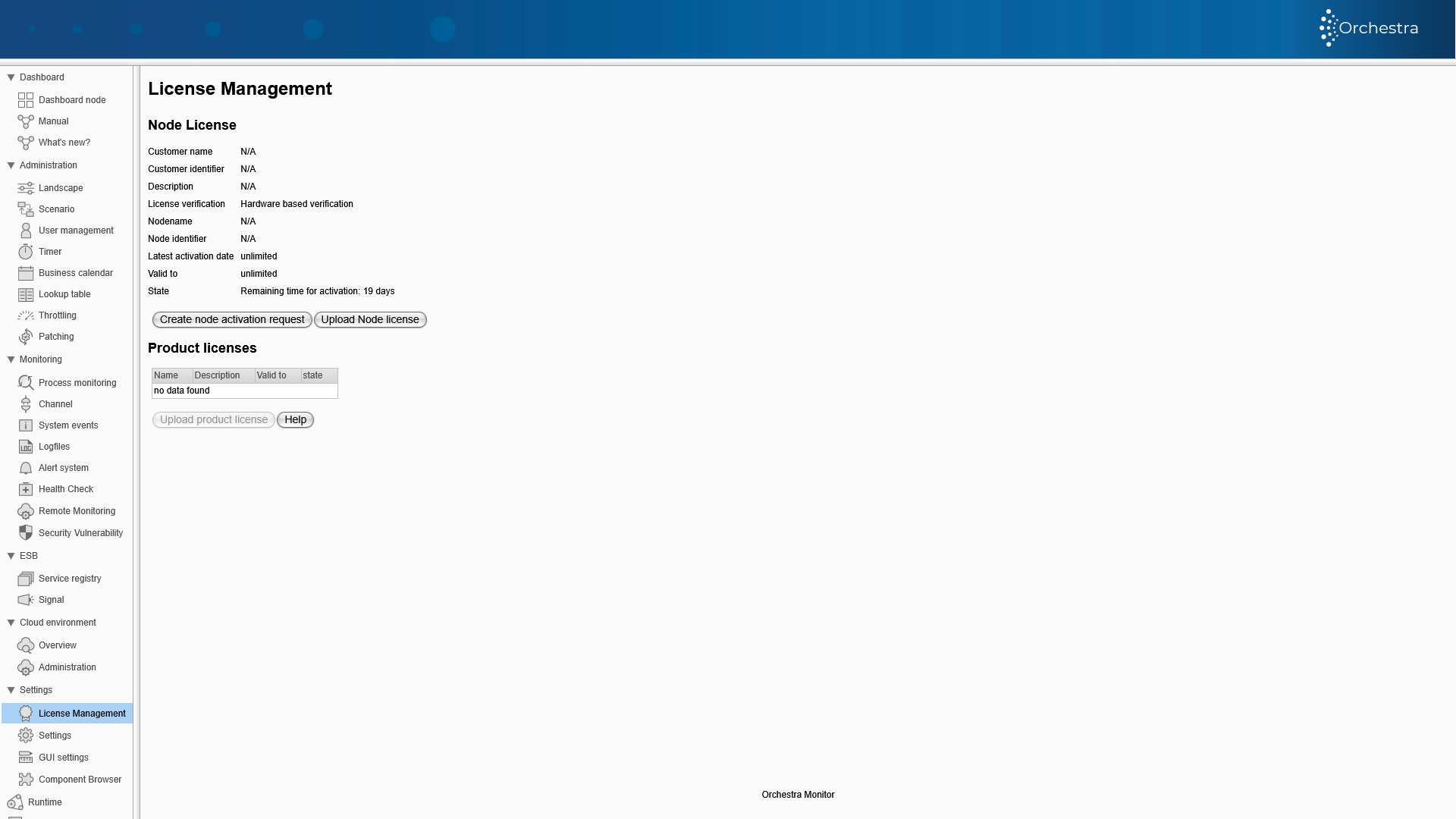
Hardware and Virtual Machine Licenses
Orchestra uses a file based license system. In order for the licensing team to create a fitting license for your bought products, a request-File will need to be generated. This file will then be used to generate your response-File with which you can activate your product.
Creating the license request file:
-
Click on Create node activation request.
-
Enter the customer key that you were given in advance.
Please do not confuse the customer key with the so-called activation key for product licenses!
- Select one of the possible system types (development, test or production).
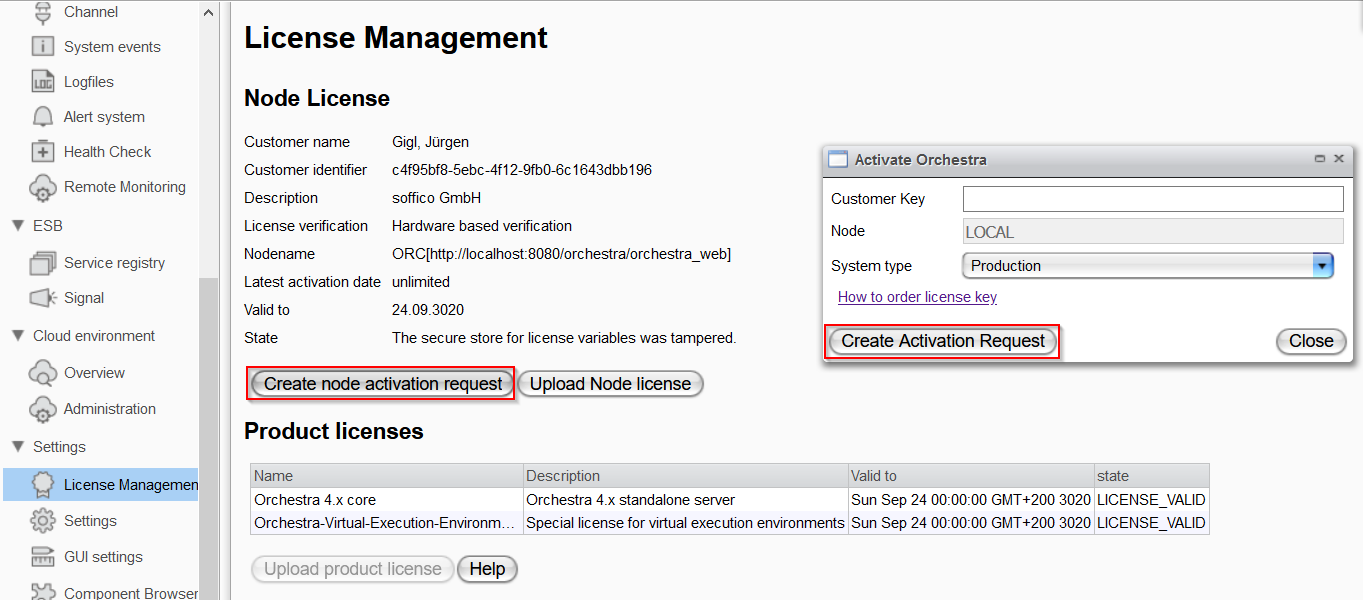
- Click on Create Activation Request to create the request file.
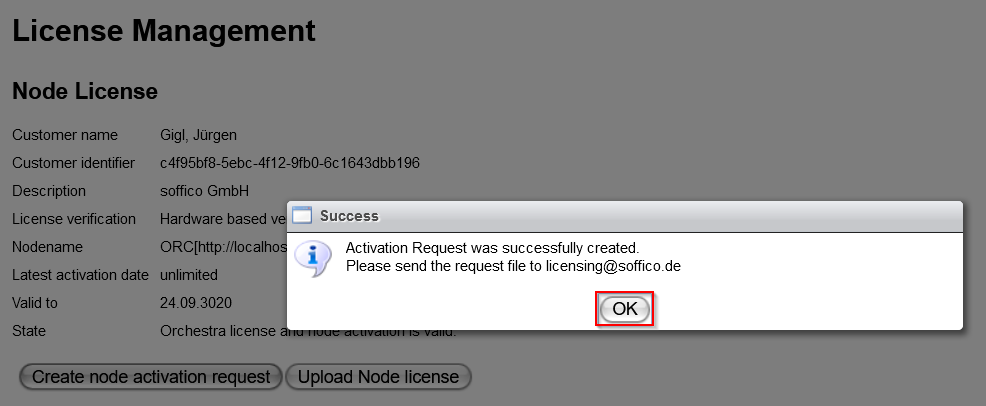
Send the generated request file by email
Please send your request-file via E-Mail to licensing@soffico.de.. The request file contains your systems information together with your business partner identification. Your E-Mail should contain the following things for optimal processing:
- Subject: License Activation Request >Type of License<
- Attachment:
request-file - Body: Additional information for your License Request.
If you are creating a license for a virtual machine, inform the soffico licensing team in your email that the license is for a VM.
After having received the required information, the soffico licensing team will create a response-file and send it to you by email.
In case of a Virtual Machine the soffico licensing team will generate an appropriate product license (so-called "Orchestra Virtual Execution Environment") and the corresponding activation key for this product license in addition to the response file. All information will then be forwarded to you by email.
If you should face any issues during this process please feel free to contact licensing@soffico.de. and we will help you with your request.
Business Partner License
-
It is not required to generate a request file!
-
Email the licensing team the following information:
- The X509 certificate used for validation.
- A URL from which a certificate/certificate chain can be retrieved.
- Which product is involved? Here a distinction is made between:
- Orchestra Cluster
- Orchestra Core
-
After having received your email, the licensing team will generate a corresponding response file and product license, as well as the associated activation key.
IP based License
-
It is not required to generate a request file!
-
Email the licensing team the following information:
- Which IP address or IP address range is involved?
- Which product is involved? Here a distinction is made between:
- Orchestra Cluster
- Orchestra Core
- Orchestra Juno
-
After having received your email, the licensing team will generate a corresponding response file and product license, as well as the associated activation key.
Hardware Verification
The following hardware parameters are used to check or create a license:
| Parameter Name | Description | Example |
|---|---|---|
| CPU Architecture | The chip architecture of the CPU. | AMD64 |
| CPU Identifier | A description of the CPU. | Intel64 Family 6 Model 58 Stepping 9, GenuineIntel |
| CPU Revision | Returns the revision number of the CPU installed in the computer. | 6 |
NET-<network-adapter> | MAC address of the network adapter. | net-eth11=F0-1F-AF-05-99-ED net-wlan4=1C-3E-84-65-E6-1D |
| OS Architecture | Architecture of the operating system. | amd64 |
| OS Name | Operating system version. | Windows 10 |
| OS Serial Number | Operating system serial number. | JL620X1 |
| OS Type | Type of the operating system. | Windows |
| OSH Board Manufacturer | The baseboard/motherboard manufacturer. | Dell Inc. |
| OSH Board Model | The baseboard/motherboard model. | |
| OSH Board Serial Number | The baseboard/motherboard serial number. | /JL620X1/CN1296134J00AC/ |
| OSH Board Version | The baseboard/motherboard version. | A01 |
| OSH Firmware Manufacturer | The firmware manufacturer. | Dell Inc. |
| OSH Firmware Name | The firmware name. | BIOS Date: 09/24/14 14:35:31 Ver: A16.00 |
| OSH Firmware Version | The firmware version. | DELL - 1072009 |
| OSH Physical Disk 0 Identifier | The serial number of the hard disk drive. | S2RFNX0J501097Y |
| OSH Physical Disk 0 Model | The model of the hard disk drive. | Samsung SSD 850 EVO 1TB (Standardlaufwerke) |
| OSH System Manufacturer | The computer system manufacturer. | Dell Inc. |
| OSH System Model | The computer system model. | Latitude E6530 |
| OSH System Serial Number | The computer system serial number. | JL620X1 |
When a virtual machine environment license is installed, the following parameters are excluded from the license check:
- CPU Architecture
- CPU Identifier
- CPU Revision
- OS Architecture
- OS Serial Number