Signal
The Signal view provides detailed information about scenarios that send or receive signals. The view includes several main areas:
Signals Sender >>> Signal Receiver

The left table shows information about signal senders.
The counters are calculated per signal sender token (publisher ID), so do not be concerned if some process models are listed multiple times. Each row represents a single signal sender token.
The right table provides information about signal receivers.
The column Correlation Expression displays the active filter condition. If a getGlobalVariable() call is included in a filter expression, the system will attempt to infer the current value of the global variable. This value will be appended to the expression (displayed in blue color) for easier understanding of the filter conditions.
Similar to the senders table, the receivers table also displays KPI values for every signal receiver. This enables you to see how each signal receiver handles signals in the following states:
-
Queued: The number of signals stored in a queue and waiting for processing.
-
Accepted: The number of signals that match the filter/correlation defined within the signal receiver token, triggering the process model to start.
-
Rejected: The number of signals that do not match the filter/correlation defined within the signal receiver token, meaning that no process was started for those signals.
Persistent Queue of Pending Signals
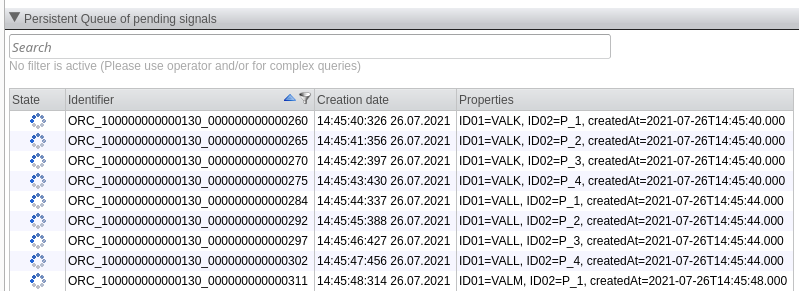
The table shows the signals that are persistently queued and waiting to be delivered to the selected process model.
Be aware that signals will be persistently queued only if the signal receiver is set to "persistent" and the signal's trigger of the scenario is disabled, or if the receiver's scenario is entirely disabled. If a receiver is selected by double-clicking on the receiver table, this table will be populated.
Each queued process may be deleted by right-clicking on it and selecting Delete. You can also manually send and execute a signal by right-clicking on it and selecting the Execute command.
Filtering Signals
You can enter a filter condition in the Search field at the top of the table.
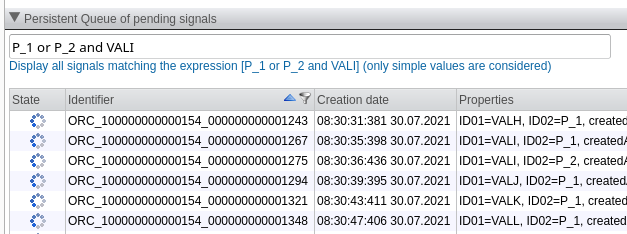
Specifying a filter condition results in the table listing only the signals where the text content of signal variables matches the given filter expression.
When you enter text in the Search field, signals will be displayed where any variable of the signal contains the specified text. Note that only simple variables are considered, i.e., a variable of type string or a numerical, date, datetime, or boolean property. The text representations of the variables are searched for matches.
As shown in the example above, you may combine simple search expressions using the logical operators and or or, with and having precedence over or.
Process
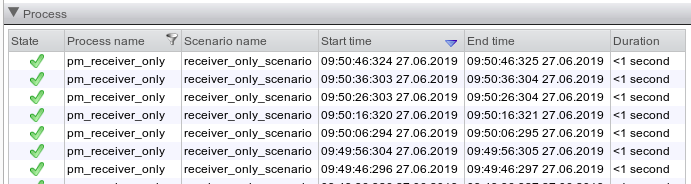
The Process table lists all processes associated with the signal senders or signal receivers selected in the first area.