Managing User Classifications of Process Instances
To define user classifications for process instances, select Settings from the Settings category in the menu, and then click the User classifications tab.
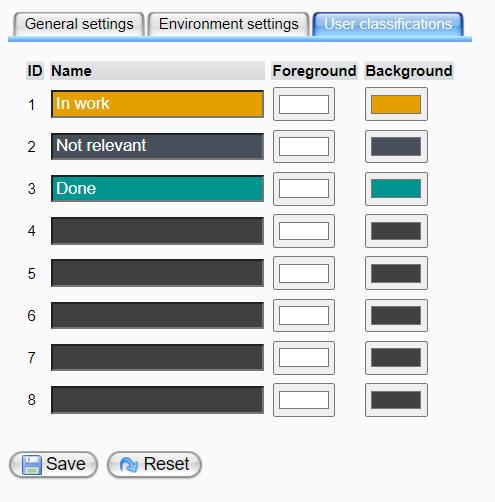
In this view, you can define "User classification" categories. These classifications will be used to categorize process instances in the Process Monitoring View (under the "Details" tab), as illustrated below:
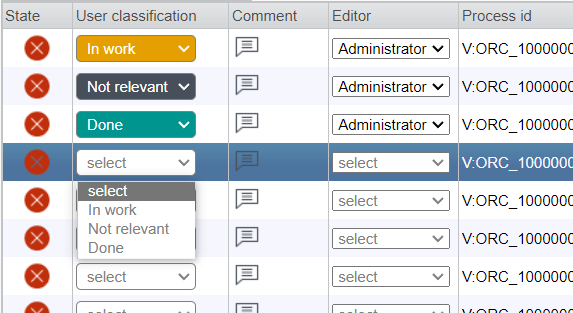
Editing User Classification Categories
By default, there are three user classification categories: In work, Not relevant, and Done.
To add additional categories, enter a name in the next available text box. To modify an existing category, simply overwrite its current name.
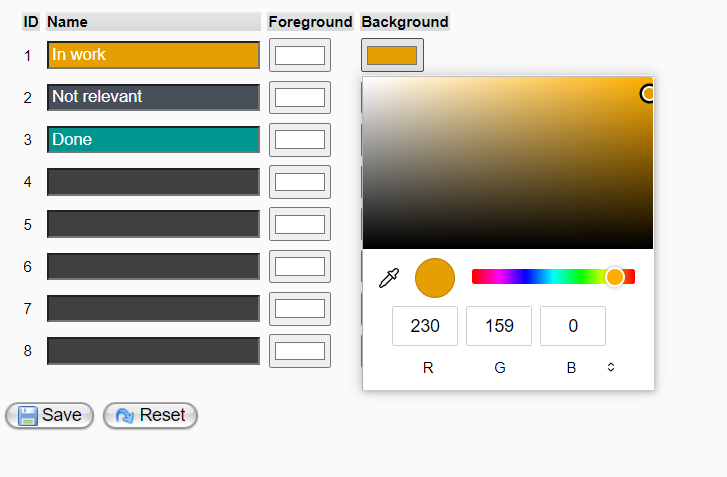
You can adjust the foreground (font) and background color of user classifications by clicking the corresponding color button to open the color chooser panel and then selecting a color.
To apply your changes, click the Save button.
To discard your changes, click the Reset button.