Timer Configuration
Configuration of all timers for a deployed scenario is available in the Timer view within the Administration section.

To edit a timer, select the desired scenario and click on the timer you want to configure.
The timer settings can be configured similarly to the Designer:
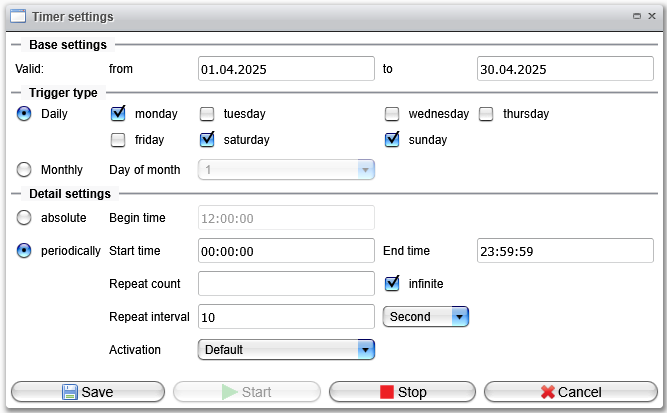
Timer Settings
-
Base Settings:
Define the range of validity for the timer. -
Trigger Type:
Select the conditions under which the timer is active within the validity range. -
Detail Settings:
- Absolute:
The timer will start once a day only. - Periodically:
The timer will start periodically based on a defined frequency.
- Absolute: