Remote Monitoring
Orchestra supports remote monitoring of Orchestra nodes, regardless of the run mode configured (Standalone, Cluster, or Cell). You can utilize nearly all functions of monitoring and administration for each connected node.
To start your monitoring session, select a connected node from the dropdown in the upper left corner of the navigation bar.
This quick guide provides the conditions and requirements, as well as a step-by-step process for connecting another node to your Manager.
Step by Step
-
Log in to your Orchestra Monitor and enable the user role Remote.Administrator for each node you wish to connect
-
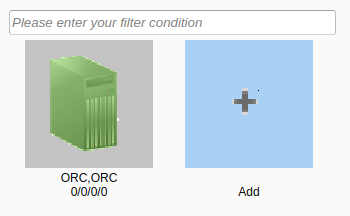
Navigate into the Remote Monitoring-Section in the Sidebar of the Monitor and select the Add button.
-
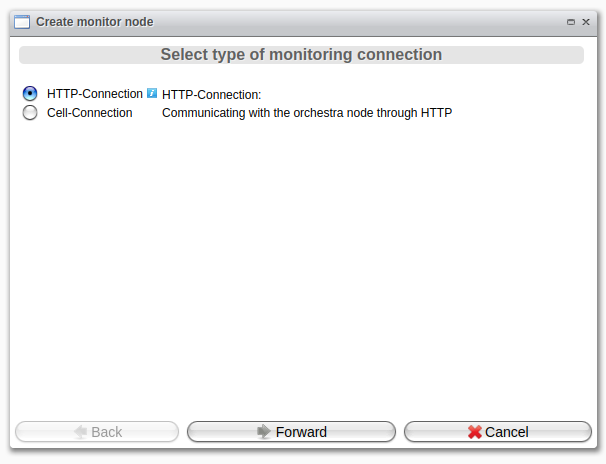
Choose the type of monitoring connection: either HTTP-Connection or Cell-Connection.
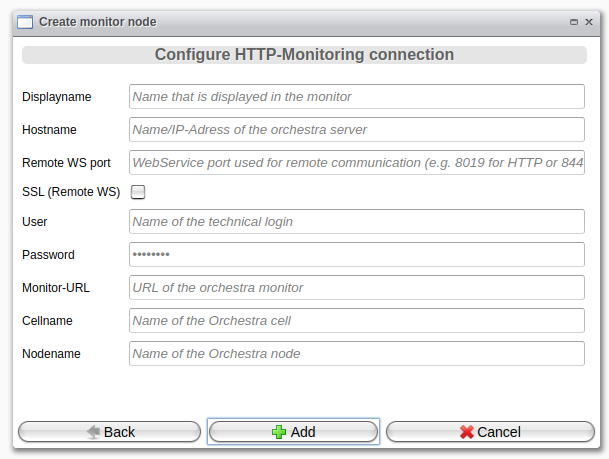 |
|
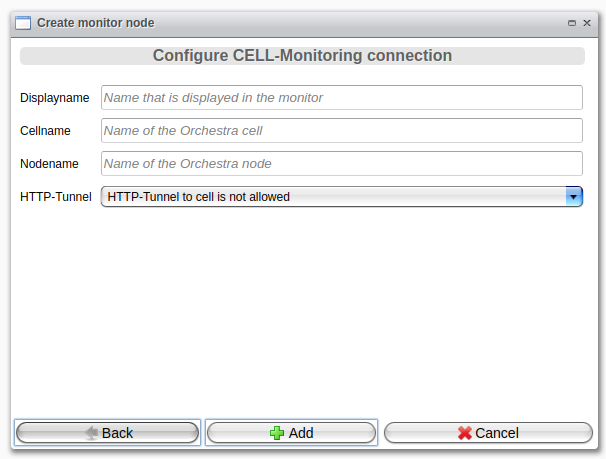 |
|