User Management
User management can be divided into two scopes. One part addresses user administration of the web interface (the monitor), and the other part deals with the configuration of users used within a scenario.
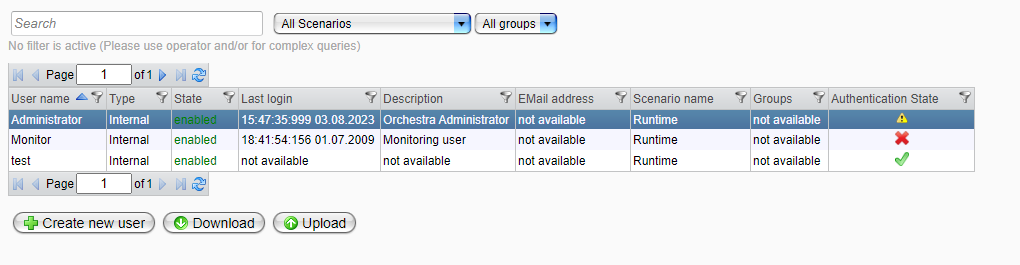
| Attribute | Description |
|---|---|
| User Name | The name of the user. |
| Type | The type of the user. |
| State | The state of the user: - Enabled: Allows the user to log in. - Locked: Prevents the user from logging in. |
| Last Login | The last date and time when the user logged in. |
| Description | A description of the user. |
| Email Address | The email address of the user. |
| Scenario Name | The scenario name associated with the user. |
| Groups | The scenario groups the user belongs to. |
| Authentication State | The authentication state of the user: - Fine (✅): The authentication of the user is valid. - Warning (⚠️): At least one of the authentication credentials will expire soon. - Expired (❌): At least one of the authentication credentials has expired. |